Easy QuickBooks Time Tracking With TimeCamp 

QuickBooks is a very popular accounting software designed to help businesses manage their finances. Here at TimeCamp, we provide you with support that is in line with what QuickBooks offers. With TimeCamp QuickBooks integration, you can automatically track expenses and streamline client billing:

Comprehensive budget planning with your QuickBooks online account

Automated invoicing based on timesheets

Easy export and sharing of invoices

In-depth reports for time & billing insights

Why Notion Alone Isn’t Enough 

Notion is a very good tool if you want to manage projects and automate manual tasks. It even comes with ready-made time-tracking templates you can use to track time in Notion and maximize productivity. Even though you can build a tasks database for your tasks in Notion (with a linked database view) and manage everything inside the projects database, Notion doesn’t offer any built-in robust time-tracking setup. The only thing you can do is manually update a status property or log time yourself, but that solution is ineffective and prone to errors and inconsistencies.

TimeCamp fills this gap by offering in-depth tracking of how much time is spent on each project, task, or client, ensuring that no billable minute is lost. The integration with our time tracker allows for seamless tracking of employee activity across many different projects at once, making it easier for you to monitor delays, track progress in real-time, and quickly adjust resources or timelines. All in a 100% user-friendly interface.

Additionally, TimeCamp enhances QuickBooks’ capabilities by offering advanced project management features to QuickBooks customers, such as:

  • Profitability tracking
  • Customizable revenue/cost metrics
  • Automated invoicing based on your timesheets
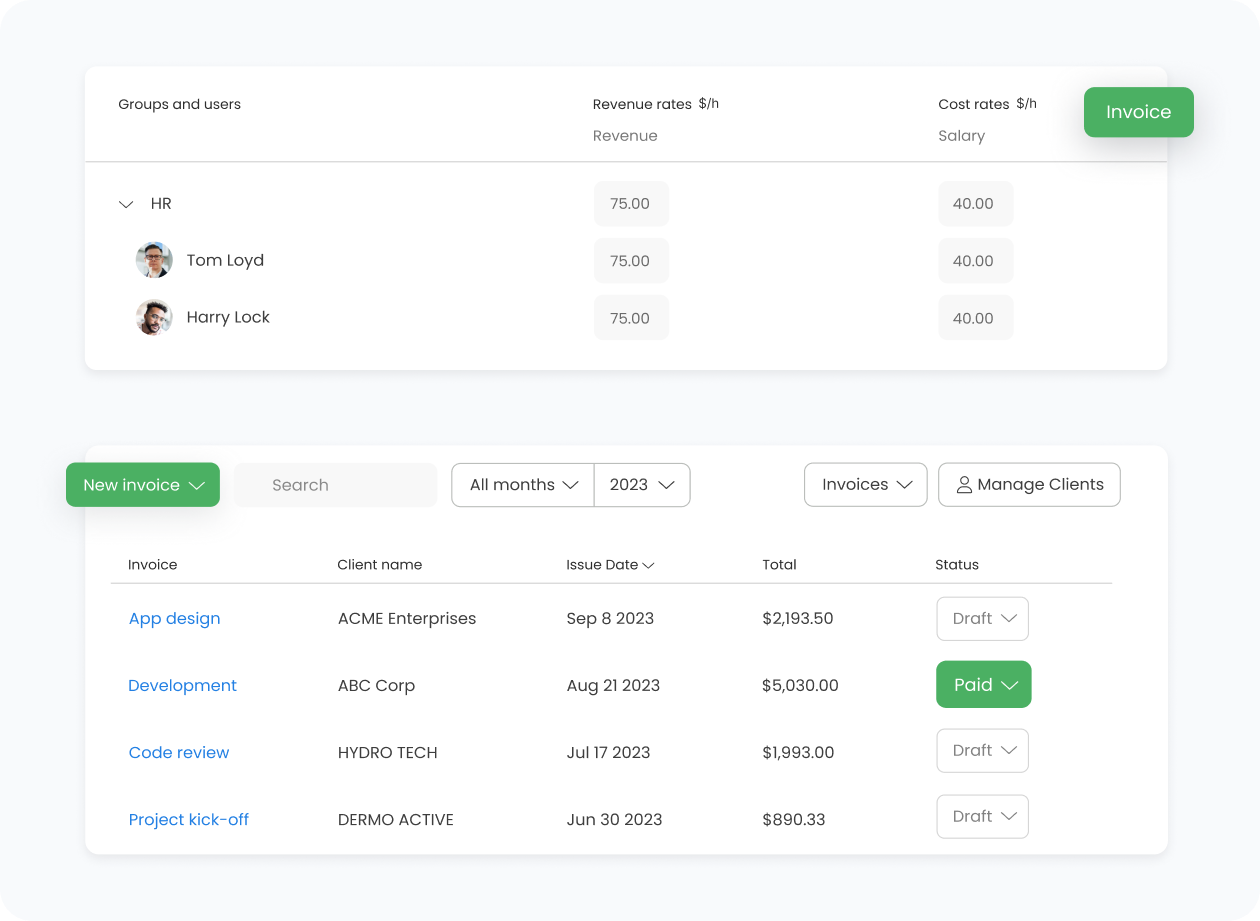
Unlike QuickBooks, which focuses more on financial reporting, TimeCamp provides you with detailed activity tracking and automated report generation, so you can track exactly how time is spent on each client or project. This helps you not only generate more accurate invoices but also budget and plan projects more effectively.

TimeCamp is a fully automatic time-tracking tool that also supports you with budgeting and invoicing features. When you put those two tools together, you can create a true financial powerhouse that gives you all the information and metrics you need.

How TimeCamp Works With QuickBooks

TimeCamp can be integrated with QuickBooks Online. This integration enabless seamless time-tracking and billing synchronization between both accounts. Once connected by an account admin, all TimeCamp users can track time directly on tasks imported from QuickBooks, where clients appear as tasks and products or services as subtasks under clients.

How to Enable integration

The QuickBooks Step-By-Step Integration Process

Below, we outline an easy four-step process that will enable you to integrate TimeCamp with QuickBooks. All you need to do is just follow these steps:

01

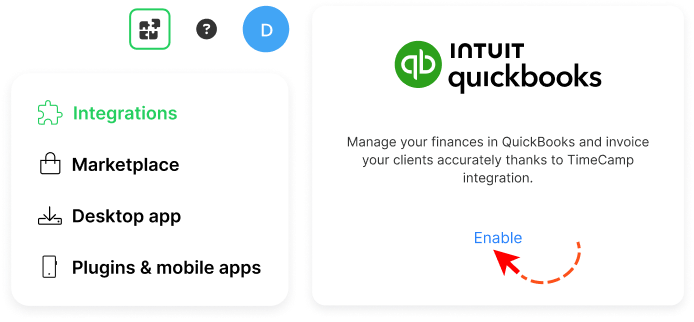
To enable the QuickBooks integration, please navigate to the plugin icon and select the Integrations option. Next, find the QuickBooks integration on the list and click the Enable button.

02

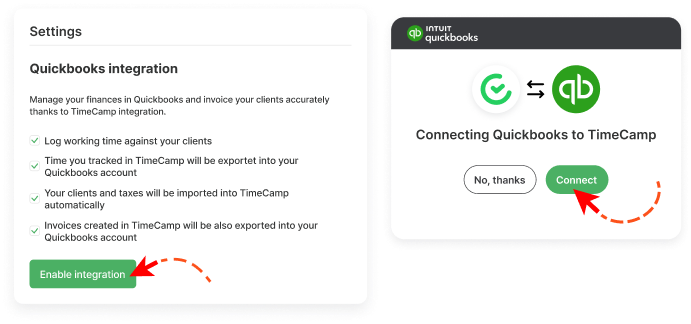
Next, click the green Enable integration button. If you’re not logged into QuickBooks, you’ll be redirected to the login page and asked for confirmation to enable the integration. Click the green Connect button to grant access.

03

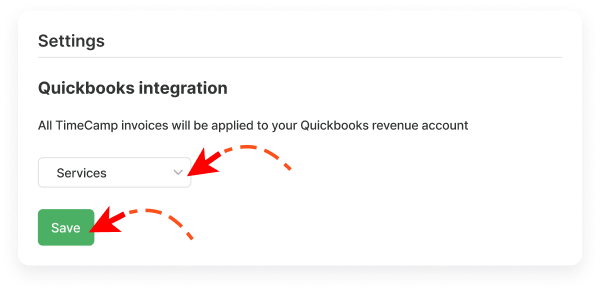
Now you can select the QuickBooks Revenue account to which you'd like to send invoices created in TimeCamp. After selecting the account, click the green Save button.

04

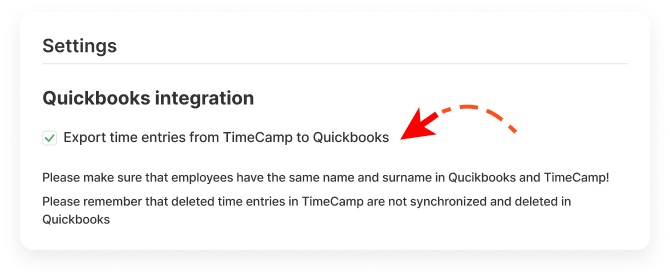
Optionally, you can enable the export option, so all tracked time to your teamwork tasks will be automatically exported to your QuickBooks account. Simply mark the checkbox next to the Export time entries from TimeCamp to QuickBooks field and Save changes.

And, you’re done! Your Clients will be imported to the Projects module in TimeCamp. All imported items will be accessible for you to track time using TimeCamp’s timesheets, mobile, desktop application, or browser plugin.

Trello Need Help

Need Help?

Key Benefits of QuickBooks + TimeCamp

If you want to ensure you have all the financial and time-tracking data at your fingertips, integrate your TimeCamp account with QuickBooks. This way, you will be able to streamline budgeting, billing, and invoicing. You will also ensure all the billing information is 100% accurate. Here are some other benefits you should consider:

Seamless workflow

Tracked time in TimeCamp can be automatically exported to QuickBooks, ensuring your accounting reports and invoices always reflect accurate and up-to-date time data.

Automatic import and syncing of clients and tasks

QuickBooks clients, products, services, and taxes sync directly into TimeCamp, letting you track your team's time with the same structure used in your accounting system.

Consistent billing rates and invoicing

User billing rates and TimeCamp-created invoices sync with QuickBooks, thus helping you maintain consistent and precise financial calculations across both tools.

Centralized time tracking for the whole team

Once enabled, all users gain access to QuickBooks-imported tasks, allowing the entire organization to track time accurately. All users will be automatically assigned to the QuickBooks project and its tasks (clients) as Regular users.

Productivity and Time Management Insights

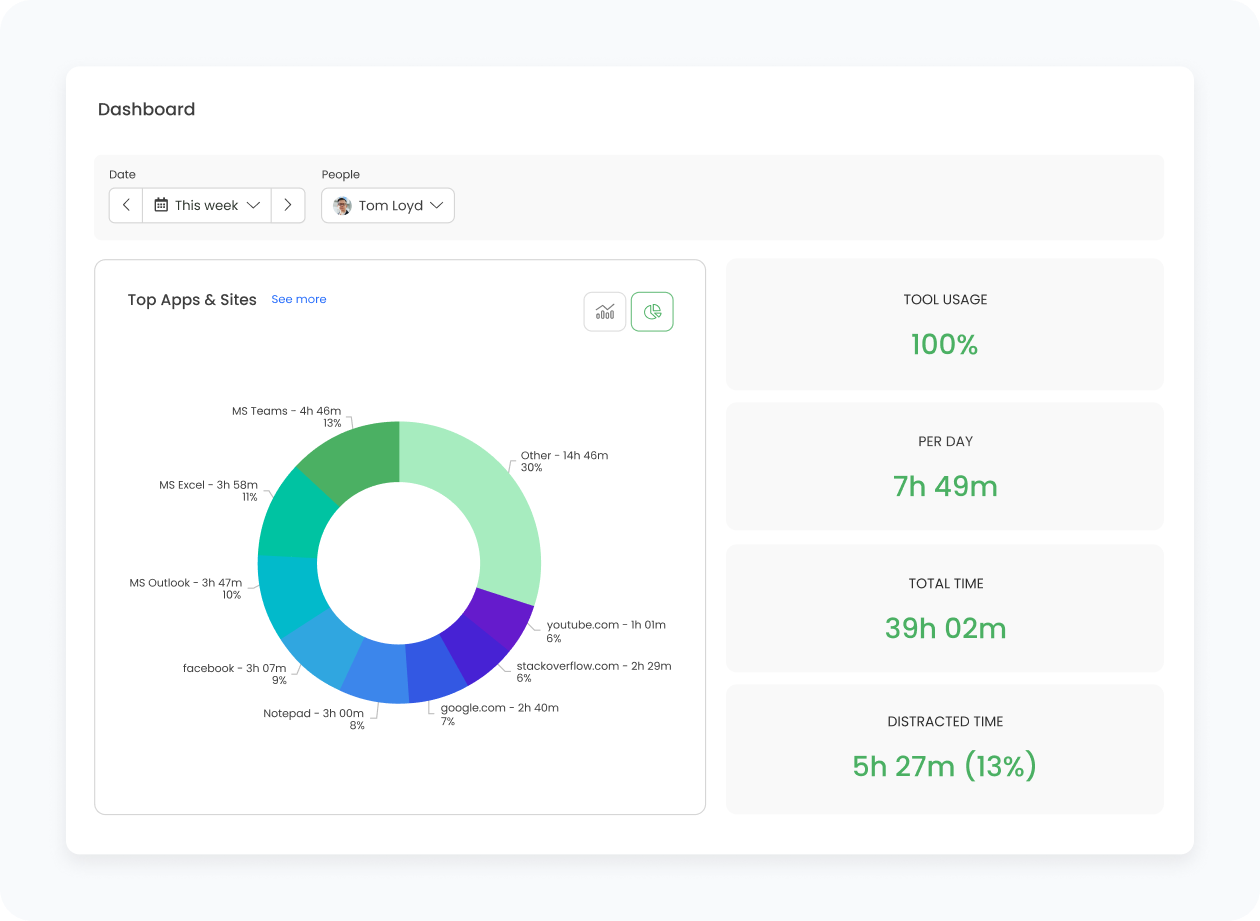
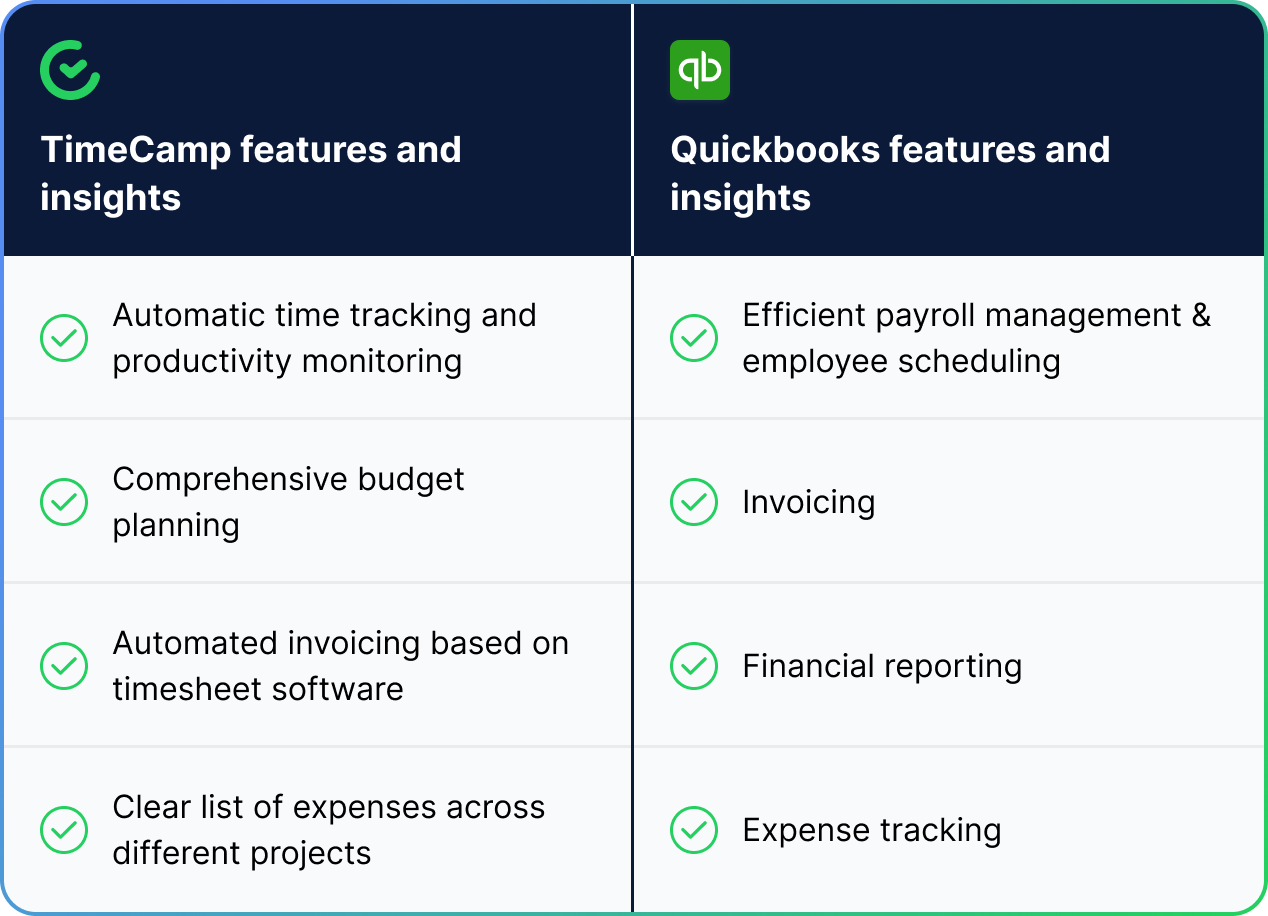
Productivity and time management are incredibly important when it comes to budgeting and invoicing. You need to make sure each project is quoted and settled accurately. TimeCamp, combined with QuickBooks, will allow you to ensure that, as well as give you access to many more features that support time and project management in your company.

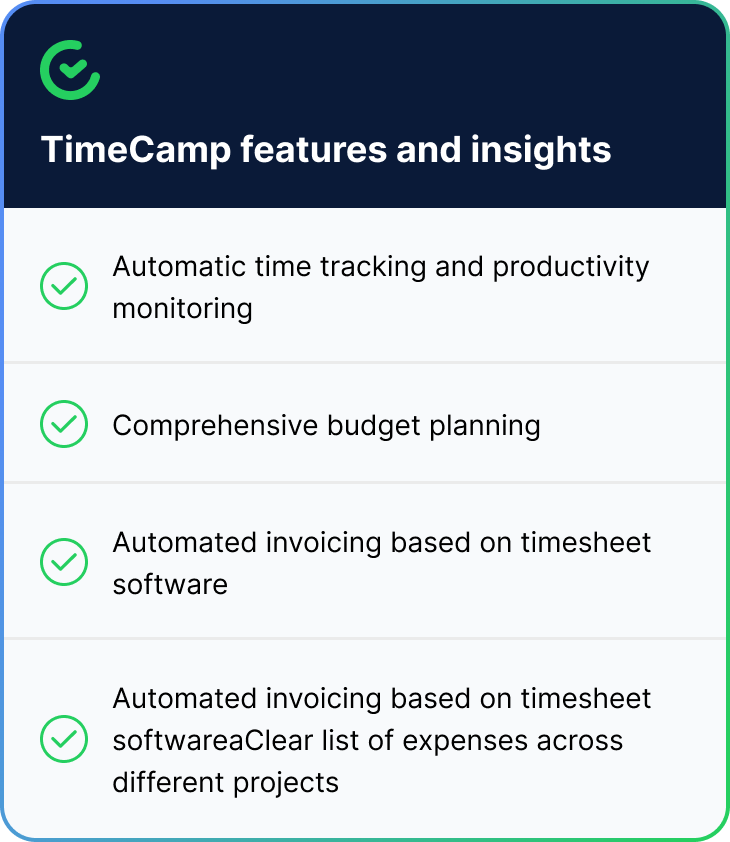
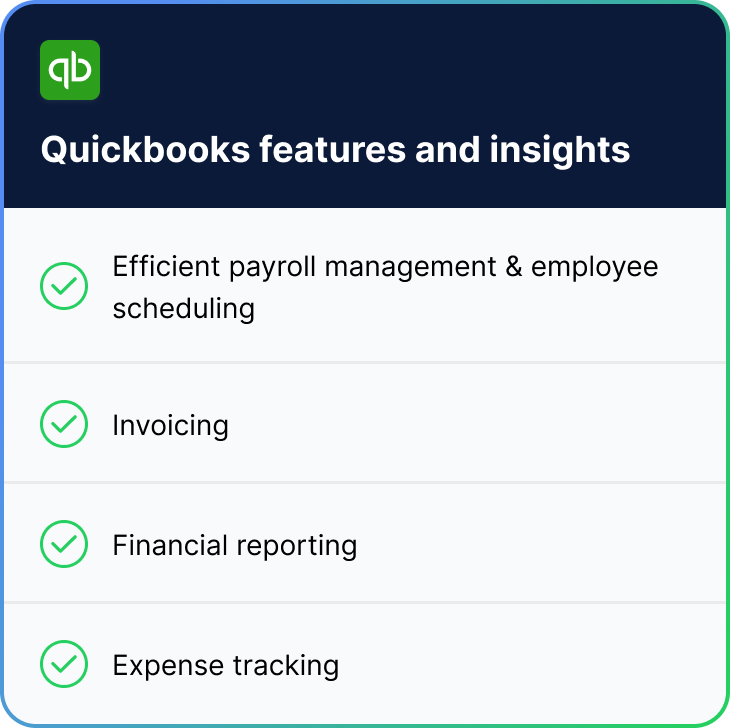
Take a look at how those two tools can work for your company’s benefit:

Trello + TimeCamp Table
Trello + TimeCamp Table - Part 1 Trello + TimeCamp Table - Part 2
Trello + TimeCamp Circle

As you can see, QuickBooks data becomes even more powerful with time insights.

TimeCamp supplements your QuickBooks payroll data and makes it more useful and comprehensive. When you have both tools working in tandem for you, you can benefit from a system that provides you with all the information you need to plan and settle every project in your company. You also get access to productivity trends, so that you can improve your operations and pinpoint potential bottlenecks.

timecamp img
badge
badge
badge
badge
badge
badge
badge
badge
badge
badge

Start Tracking Your QuickBooks Time With TimeCamp

Streamline your accounting workflow with accurate time tracking. TimeCamp automatically syncs your QuickBooks clients, products, and services, letting you track billable hours and export time entries directly to QuickBooks. Generate precise invoices, simplify payroll, and keep your financial data always up to date. Start your free integration today!

Frequently Asked Questions About QuickBooks Integration

Unfortunately, no. Right now, we only provide integration with the online version of Intuit QuickBooks.

All QuickBooks clients, products, and services are automatically imported into TimeCamp as projects, tasks, and subtasks.

No, it is not possible to edit the structure of imported items in TimeCamp.

Time entries won’t export if employee names or email addresses don’t match exactly between TimeCamp and QuickBooks.

Yes! Our time-tracking application uses advanced encryption and is fully compliant with most privacy regulations, including GDPR.

To turn the integration off, go to the plugin icon in your TimeCamp dashboard and select the Integrations option. Next, find the QuickBooks integration on the list of active integrations and click Settings. In the Settings tab, you will find the Unlink integration button.

Integrating TimeCamp with QuickBooks Online gives you an effective way to track time, manage projects, and handle invoicing. And now, you can do so in one integrated workflow. TimeCamp helps you monitor employee productivity and project progress, and when synced with QuickBooks, every hour of work is tracked for accurate billing and financial reporting. With TimeCamp and QuickBooks on board, you get access to comprehensive project management and invoicing.