









TimeCamp logo

Maximize productivity and project profitability

  • Track time on projects and tasks

  • Review and approve timesheets

  • Analyze profitability on detailed reports

Time entries, a timer and a calendar view above time per project and a total time chart

Trusted by 18,000+ teams

Accurately track work hours, calculate labor costs and revenues, and generate detailed reports for insightful analysis

Enhance productivity and profitability with TimeCamp

  • Comprehensive time and cost tracking for every type of business

    TimeCamp seamlessly integrates with your workflow, allowing you to track productive and non-productive time, record labor costs, and analyze project profitability, regardless of your business type or project complexity.

  • Detailed data for informed decision-making

    TimeCamp provides flexible and transparent data on time, costs, and revenues to show you key metrics like margin and ROI.

  • Generate insightful productivity and profitability reports

    Generate and export detailed reports on productivity, revenue and costs, financial performance, and project margins, enabling operational efficiency and necessary adjustments.

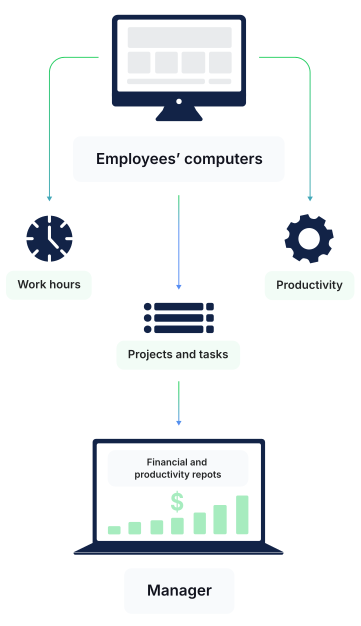
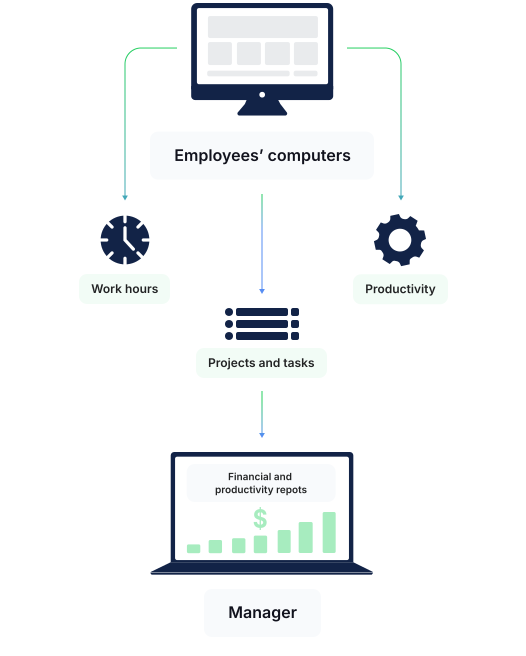
Work hours, productivity, and projects and tasks from employees’ computers flowing into a manager’s financial and productivity reports

Our clients noticed on average

15.82%

increase in the number of productive hours since they track time with TimeCamp.

Ease of use drove

82.2%

of our users to choose TimeCamp over other time trackers.

How to use TimeCamp for monitoring productivity and profitability?

Revenue and cost rates per hour set for projects and tasks

Add billing rates and budget

Define billing rates for different tasks, projects, or employees to accurately calculate labor costs and potential revenue. Set budgets for your projects to control expenses effectively and ensure that your projects remain profitable.

Running timer above the day’s time entries for projects and tasks

Track time on projects and tasks

Log every minute spent on your projects and tasks with TimeCamp. Our intuitive interface allows employees to easily start and stop timer or manually add time entries. This ensures that all work is accurately tracked, whether it's for client's projects or internal tasks.

Calendar view of a work week with time entries and daily totals

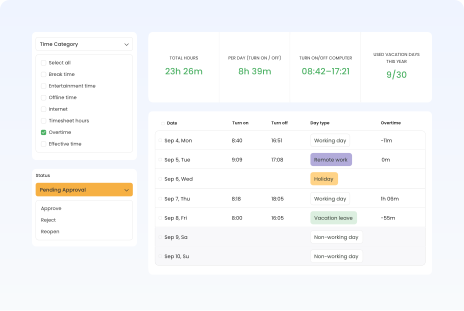
Review and approve employees' timesheets

Managers can review, approve, or request corrections on submitted timesheets, ensuring precision in reported work hours. This step is crucial for maintaining accountability and accuracy in time tracking, which directly impacts project costing and billing.

Report of time per employee and task with hourly income and amounts

Generate reports

Create comprehensive reports that provide detailed insights into time allocation, labor costs, and project revenues. Use these reports to analyze productivity, measure profitability, and make data-driven decisions. All reports can be exported as CSV, Google Spreadsheet, PDF, or XLSX for further analysis and sharing with stakeholders.

Include all spending in your billing with Expenses

Need to include additional spending in your billings? TimeCamp’s Expenses is your solution!

TimeCamp expenses list with categories, amounts, and approval statuses

TimeCamp supports every role in your company

TimeCamp web app timesheet with a running timer and the day viewTimeCamp web app timesheet with a running timer and the day view

Web app

TimeCamp web app with simple one-click timer, easy-to-use timesheets, and reporting module is perfect for every type of office work and management purposes. You can also approve your employees' timesheets, add expenses, and share reports with your clients from here.

Best for:

  • Office employees
  • Managers
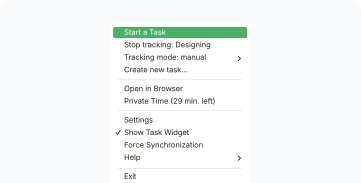
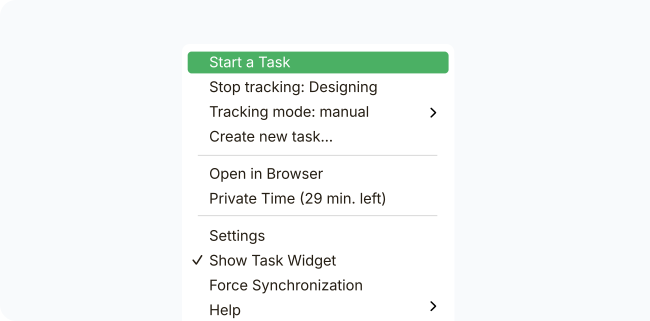
TimeCamp desktop app menu with the start task and tracking mode optionsTimeCamp desktop app menu with the start task and tracking mode options

Desktop app

You can use the simple timer, but the TimeCamp desktop app can also automatically track and record your activities, like documents, websites, and apps to let you assign them to projects.

Best for:

  • Remote employees
TimeCamp mobile app timesheet with the week strip and a timer promptTimeCamp mobile app timesheet with the week strip and a timer prompt

Mobile app

Start the timer with a single tap and keep track of time for your projects anywhere you are. Discover even more possibilities with GPS tracking and Geofencing - automatic time tracking based on location.

Best for:

  • Field employees

Native and Custom Integrations

Time tracking that fits right in

Keep your existing setup - TimeCamp will just help you measure it better.

See all integrations

Custom Integrations for your workflow

TimeCamp understands that every team runs differently. No need to change your current setup - just request a custom connection that bridges your favorite tools with our time tracking platform.

Learn more about Enterprise features

Check other use cases

TimeCamp offers more possibilities to improve your business operations

How would TimeCamp fit into your organization, you say? Discover it with our consultant.

Set a demo in under a minute, then start for free.

or sign up with:

14 days for freeNo credit card required

user reviews
4.7
user reviews
4.7
user reviews
4.7
  • Capterra Shortlist 2025
  • GetApp Category Leaders 2025
  • Software Advice FrontRunners 2025
  • G2 Highest User Adoption, Mid-Market, Fall 2026
  • G2 High Performer, Mid-Market, Fall 2026
  • G2 Leader, Fall 2026
  • G2 Regional Leader, Europe, Fall 2026