








UNUSUAL EMPLOYEE ACTIVITY TRACKING

Detect anomalies with an unusual activity report

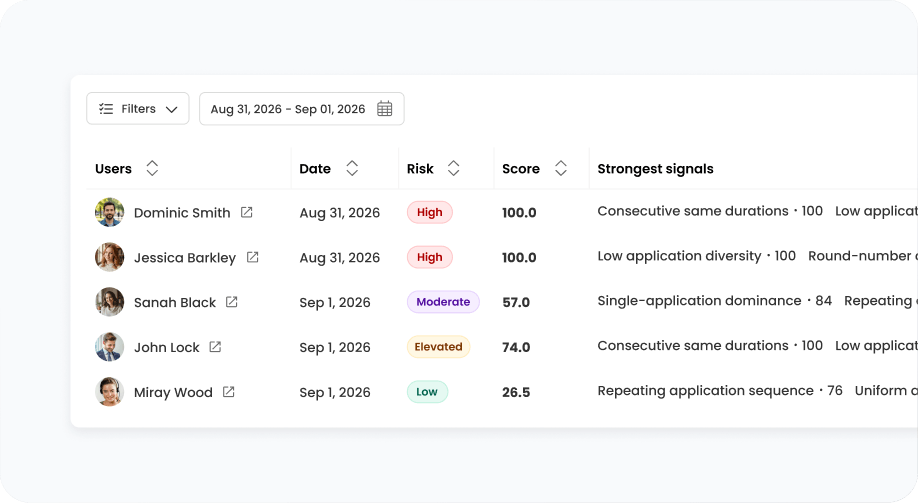
TimeCamp helps you spot unusual patterns and the context behind them, so you can discuss anomalies with employees before taking action.

Unusual Activities top image

Crafted locally, trusted globally

Spot unusual activity patterns through real data

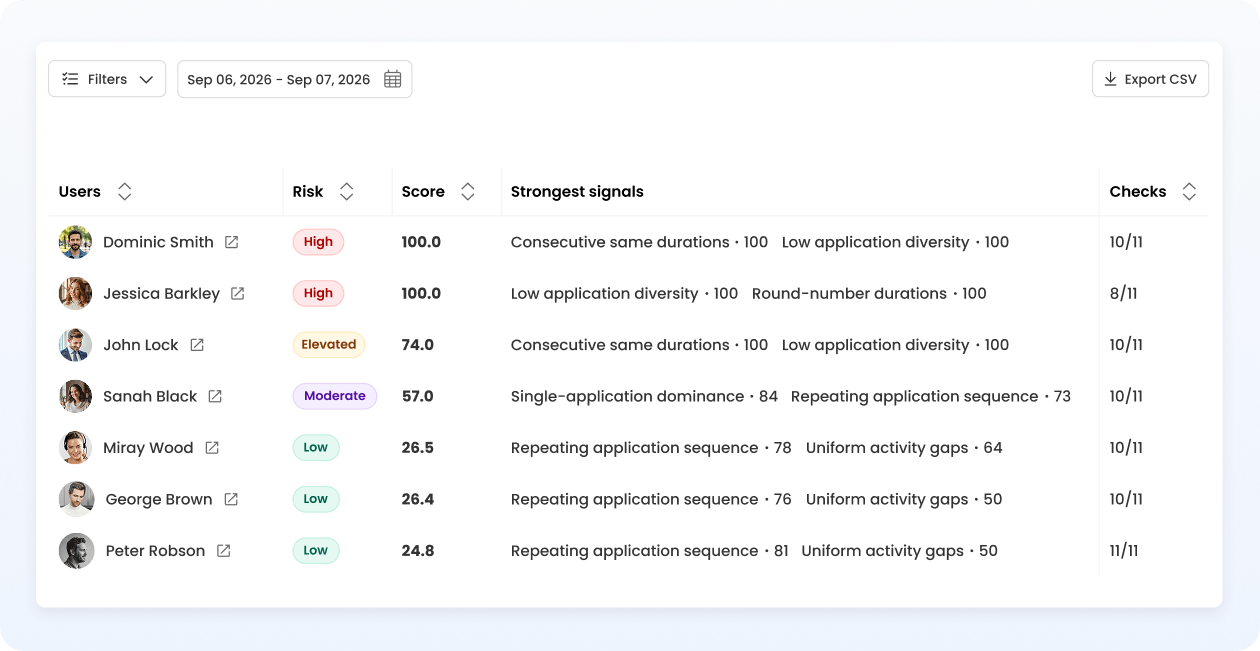
Stop guessing – use real data on employees' activity and time entries to spot unusual activity patterns, distinguish normal from anomalous behavior, and decide whose records require a closer review and an honest one-on-one with their manager.

Compare employee activity day-to-day

Unusual employee activity tracking is your direct source for behavioral analytics that helps spot abnormal patterns and find the reasons behind them, whether it's overwork or suspicious activity.

features
features

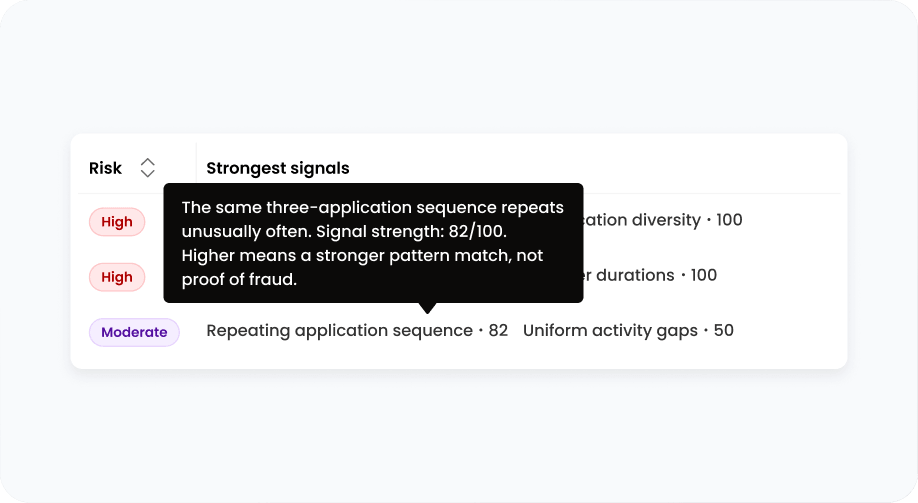
See what's behind the final score

Relying on manual checks only raises false alarms – TimeCamp Unusual Activity Report provides details on any unusual behavior, so you can decide what just scored high or actually needs your attention.

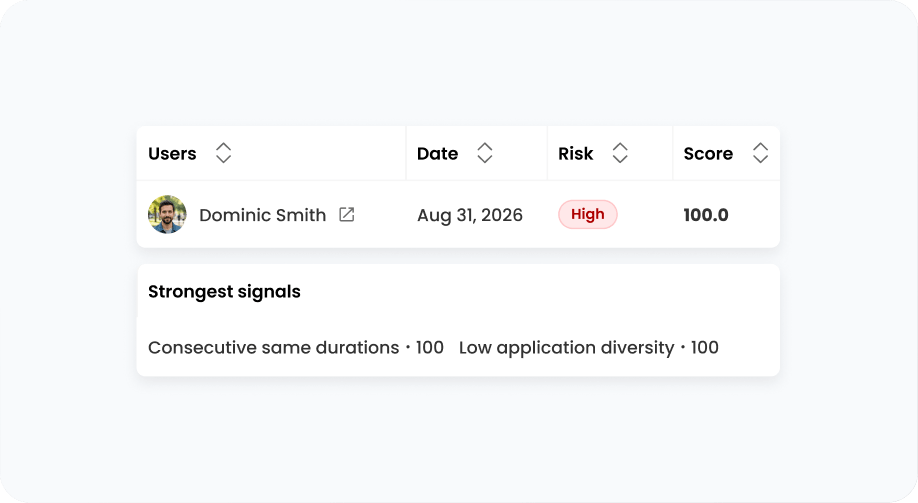
Analyze patterns, not only mouse interaction

TimeCamp's anomaly detection systems rely not on mouse or keyboard activity, but on behavioral patterns based on users' time and activity data.

features
features

Discuss unusual activity based on real data

TimeCamp's activity tracking provides context for understanding the signals, turning numbers into a starting point for interpreting them with an employee before delivering a verdict.

Add depth to your activity monitoring data

Use unusual employee activity tracking to spot anomalies, maintain accountability, and ensure adherence to company policies.

14-day free trial No credit card required
badge
badge
badge

Excellent tracking product for monitoring and optimizing work.

Wendy H. Logistics and Supply Chain, Enterprise, Verified G2 User

I can see which task each member is having difficulty with and coach them directly on it.

Verified User in Human Resources Mid-Market, Verified G2 User

FAQ

The unusual activity report identifies anomalies in employee activity. It screens TimeCamp's computer activity monitoring systems for patterns associated with scripted, fabricated, or broken user activity. It helps managers stay informed about whose records deserve a closer review.

The system detects anomalies in user activity, such as consecutive, uniform, or rounded durations; repeating or long application sequences, low application diversity, or uniform gaps between activities.

Not in the sense of proving such activities. Our Unusual Activity report examines computer activity for repetitive or uniform durations/app sequences, which can result from, e.g., mouse activity simulators such as jigglers. It produces a score; the higher it is, the more a specific user's activity needs review. But it doesn't necessarily mean that an employee is faking work, only that the day such unusual activity happened needs a closer, manual look.

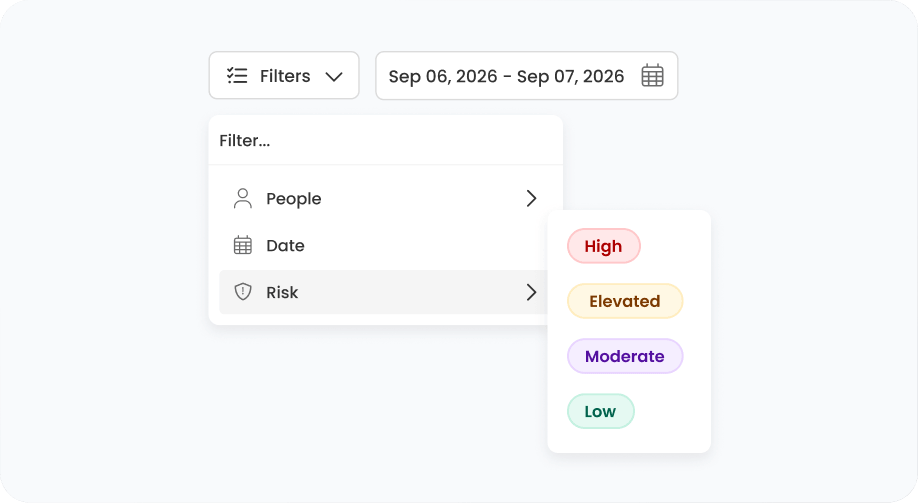
The system recognizes 11 anomalies in users' activity. Each anomaly comes with a score capped at 100. The overall score is a weighted combination of these anomalies, and the recommended review threshold is 40. A score below it means no strong signals of anomalies were found. Scores above the threshold, along with their labels (Low, Moderate, Elevated, High), justify the review – the higher the number is, the more alarmed you should be. However, don't treat the labels and scores as evidence; they're a starting point for conversations with employees.

Not necessarily – the unusual activity report is a combination of detected anomalies, but it's still only raw data on employee activity. Treat it as a starting point for a conversation with your employee – sit together and have an honest one-on-one where you review and interpret the data. Keep in mind that anomalies can also be contextual and can happen due to, e.g., app crashes or automations; they shouldn't affect your judgment.

Also, a higher score (especially when the system detects long, uninterrupted activity) can indicate overwork. A conversation and data interpretation can help you distinguish theft-like, anomalous behavior from a burnout signal.

The unusual activity report is included in the Ultimate plan that starts at $9.99 per user per month, billed annually.

Unusual employee activity tracking is off by default. Only you decide whether to enable it for your team.

The unusual activity report and productivity monitoring systems in TimeCamp cover two different areas. Productivity dashboards analyze time spent on work-related activities: they categorize apps and websites, measure focus and efficiency, and prepare trends. Unusual employee activity tracking works on the user activity TimeCamp already collects, looks for unusually repetitive or uniform durations or app sequences, and calculates a score so managers can decide whose records deserve a closer look.

timecamp img

Identify unusual activity to enhance profitability

Anomaly detection in TimeCamp shows you where to look, so you can find out why and protect time you bill and pay for.

14-day free trial No credit card
badge
badge
badge
badge
badge
badge
badge
badge
badge
badge