TimeCamp AI for Enterprise
Know how your company works. Automate what repeats.
TimeCamp AI runs on your team's computers and captures how the work actually gets done. We map the workflows, find what repeats, and build AI agents that take those steps over. Output grows. Headcount does not have to.
A 30-minute call with the people who build TimeCamp. No commitment.
Crafted locally, trusted globally












The most accurate description of how your company works is the work itself. We capture it, map it and hand it to AI.
How it works
First we see the work.
Then we build the agent.
Capture
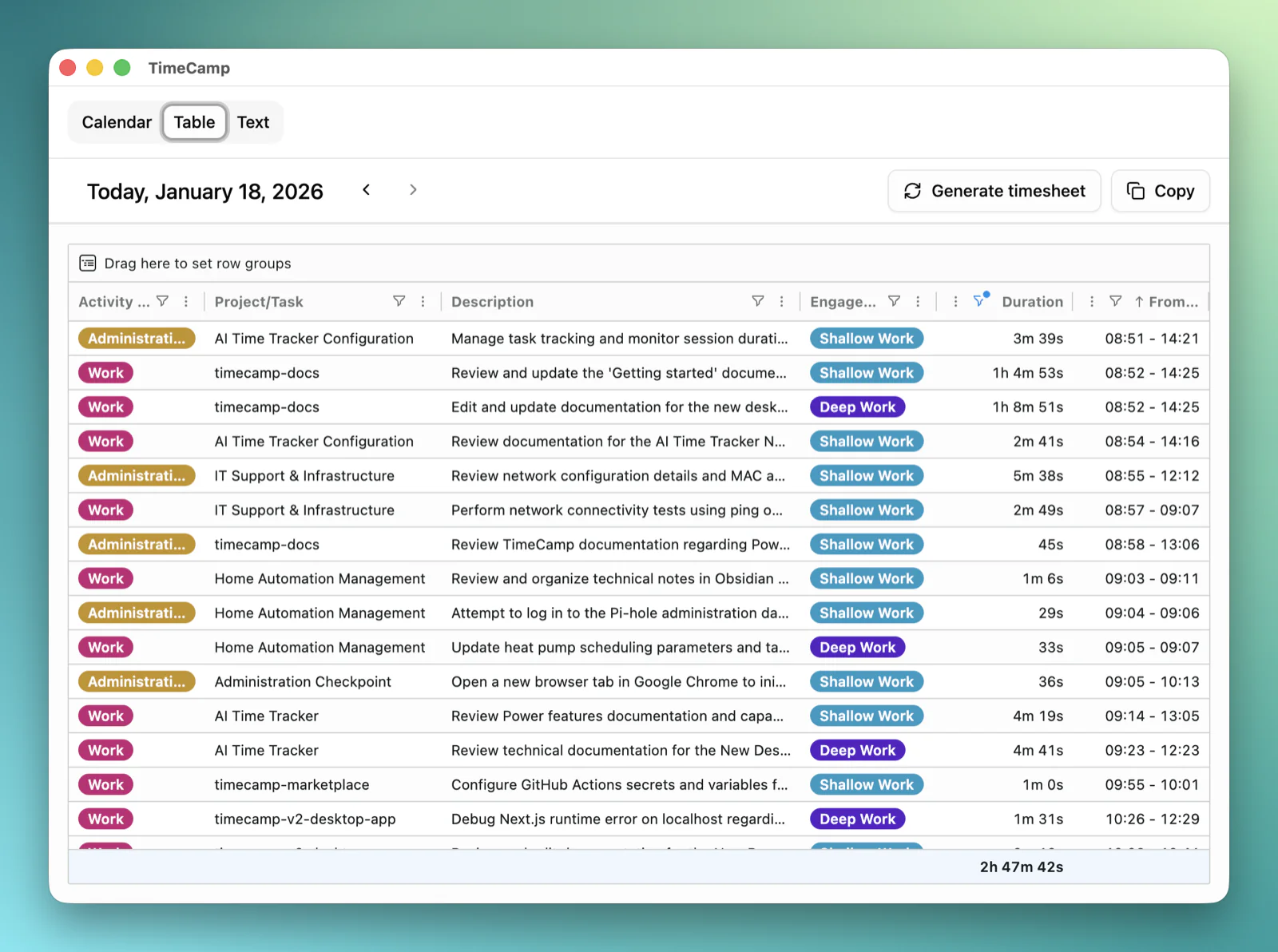
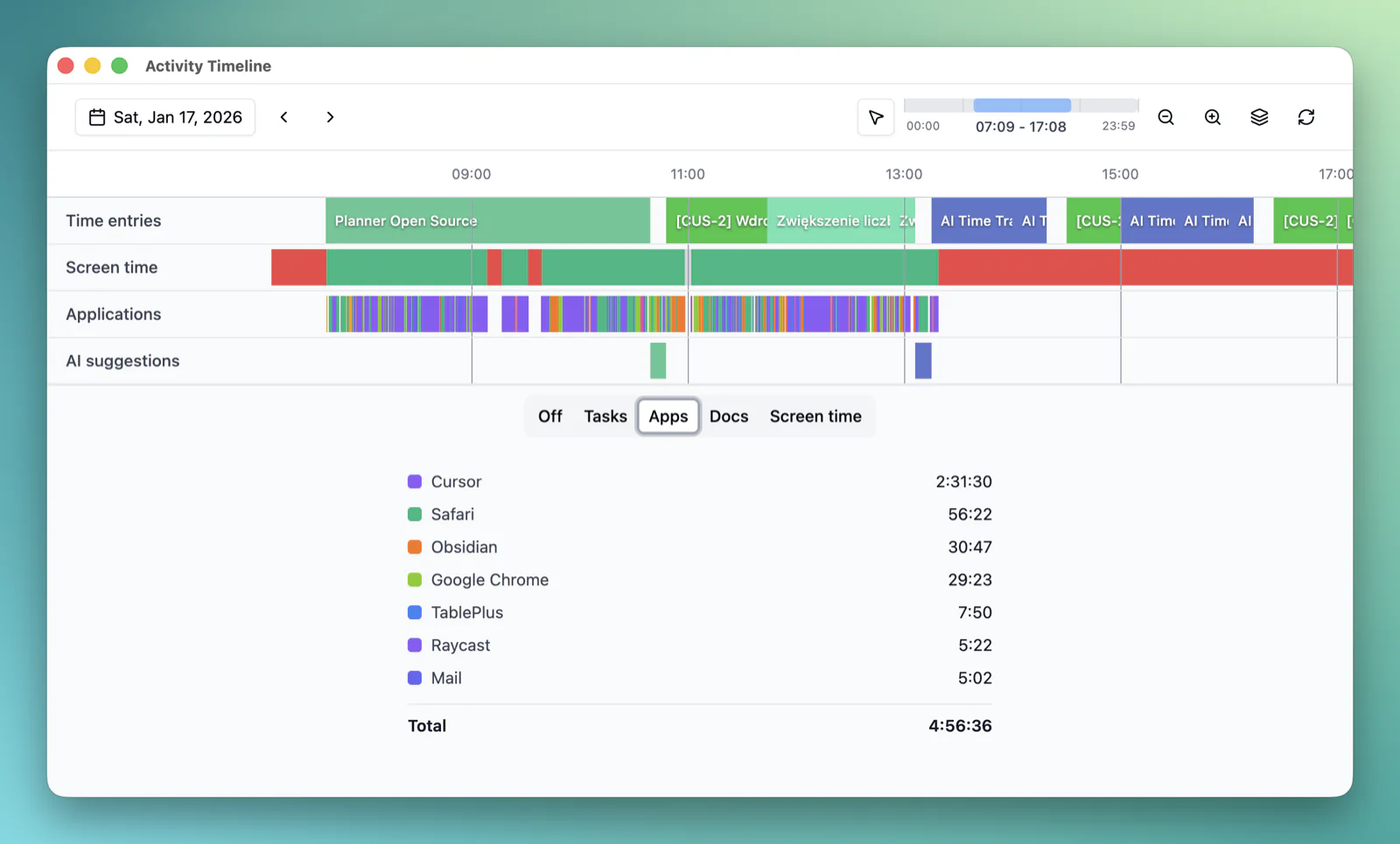
TimeCamp AI runs quietly on your team's computers and records how the work gets done: the applications, documents, systems and hand-offs behind every task.
Map
We turn the captured activity into workflow maps: each process step by step, with the time it takes, how often it repeats and where it gets stuck.
Build
Together we pick the workflows with the most hours in them and build AI agents that run those steps, grounded in how your people actually do them.
Run
Agents run on your stack while people review the results. Every run is measured, so you see the hours coming back and scale what works.
Where the hours go
How much of the work repeats?
Start with an estimate. The workflow map replaces it with measured hours. Move the sliders.
28,800
hours of repeatable work a year
The work of 16 full-time people. The first candidates for an agent.
Assumes 48 working weeks and 1,800 hours per full-time year. The workflow map replaces this estimate with measured hours and shows which steps an agent can actually take.
What changes
More output. Same team.
The map comes first. The agents follow. The hours come back.
A map of how work really happens
Every workflow documented from the actual work: steps, systems, hand-offs and time. Not from memory in a workshop.
Automation ranked by hours
See which processes eat the most hours and which ones an agent can take over first. Decide with numbers, not opinions.
Agents grounded in your work
Built from how your people do the job, with the exceptions and checks included. Not a generic template.
People stay in the loop
Agents prepare, people approve. Every result is reviewed before it counts, and the review gets shorter as the agent improves.
Runs on your stack
Agents work with the systems you already use, your AI assistants and automation platforms, through APIs and the TimeCamp MCP server.
Measured, every run
Hours captured before, hours captured after. You see what each agent gives back, per workflow, per month.
Private by design
Trusted by the people who use it.
And by the people who audit it.
The AI works for them, not on them.
- Everyone sees what is captured. Your admins set the scope.
- No keystrokes. No browsing history.
- Workflow maps describe the process, not the person.
- Pause capture anytime. Exclude any app.
Security your auditors already know.
- ISO 27001 certified. SOC 2 certified. GDPR compliant.
- Meets HIPAA and DCAA requirements.
- Single sign-on and role-based access.
- Your servers or ours: on-premise, private cloud or the TimeCamp cloud on AWS.
- Your workflow maps and agents belong to you.



Deployment
Your infrastructure or ours.
On-premise or private cloud
Keep every byte inside your perimeter. Capture, maps and agents run on your servers or in your private cloud, managed by your team.
TimeCamp cloud
Secure, scalable infrastructure on AWS. Nothing for your IT team to install or maintain on the server side.
Dedicated success manager
One person who knows your workflows, from the first map to the last agent.
Support with an SLA
24/7 support and a service level agreement tailored to your operations.
Custom integrations
Agents, reports and exports adapted to the systems your company already runs on.
How we work with you
Start with one team.
Scale when the numbers are in.
-
A 30-minute call
Tell us how your company runs today and where the hours go. We tell you whether TimeCamp AI can map it, and what the pilot would look like.
-
Capture and map one team
TimeCamp AI runs with one team for a few weeks. You get a workflow map with the hours per process and the first automation candidates.
-
Build, measure, scale
We build the first agent together and measure the hours it gives back. Then we repeat it across the company with your success manager.
Questions
What IT, legal and operations ask us.
What does TimeCamp AI capture?
The applications, documents, systems and steps that make up the work, with the time each step takes. It does not record keystrokes or browsing history. Your admins set the scope, and everyone can see what is captured.
What does a workflow map contain?
Each process as a sequence of steps: the systems used, the hand-offs between people, how long it takes, how often it repeats and where it gets stuck. Plus a ranking of what to automate first, by hours.
Who builds the agents, and where do they run?
We build them with your team, grounded in the captured workflows. They run on your infrastructure or ours and connect to your systems through APIs, the TimeCamp MCP server and the AI tools you already use.
What stays with people?
Decisions, exceptions and approvals. Agents prepare the work and people sign off on it. Nothing goes into production before your team has reviewed it.
Who can see the captured work?
People see their own activity. Workflow maps are built at the process level and shared with the people you choose. Access to the underlying data is set by role.
Can we run it on our own servers?
Yes. TimeCamp is available on-premise or in a private cloud, as well as in the TimeCamp cloud hosted on AWS. We help you choose the model that fits your security policy.
How is pricing set?
Pricing depends on the scope: how many people are captured, the deployment model and how many agents we build and run with you. We prepare a quote after the first call.
Let's talk about
your workflows.
Pick the time that suits you best. Thirty minutes, straight to the point.
Prefer email? Write to [email protected].