Effortless Jira
Time Tracking With TimeCamp

Jira is one of the most popular project management and issue-tracking tools, especially popular among development teams using Agile project management.

With TimeCamp Jira time tracking, you get access to more insights that allow you to achieve a more efficient workflow:

Log work on autopilot (100% automatic time tracking in Jira)

Track time on imported tasks and projects

Create reports based on accurate time tracking data

Generate time tracking reports for your team

Why Jira Alone Isn't Enough

If your team works in Agile project management, you likely use Jira. And this tool can be very helpful, indeed! Jira is excellent for planning, tracking, and organizing IT/software development work. But it's missing an advanced time-tracking functionality. So, if you want to analyze time spent on different projects and activities, you need a time-tracking tool.

TimeCamp provides you with Jira's native time tracking that helps you to analyze your team's:

  • Workload
  • Costs (and billed hours)
  • And the profitability of the project

With the TimeCamp Jira integration, all the Jira tasks, epics, and issues are automatically imported into TimeCamp, giving your team a clear view of your time and productivity. What is more, our automated time tracker detects when you switch between Jira tasks and adjusts your timer accordingly. That's something native Jira time tracking doesn't offer.
And the best thing? As a time-tracking provider, TimeCamp can be easily integrated with Jira. The integration process takes just a few minutes! And you and your team members will be able to track time on imported tasks.

On top of that, TimeCamp makes time tracking usable across your entire account without extra setup. Once enabled, everyone sees the same imported Jira structure, and each user can track time only to the tasks they have access to. And if you enable the export option in integration settings, tracked time will be automatically exported to your Jira account.

How TimeCamp Works With Jira

Once the integration is enabled, all Jira projects, epics, issues, and tasks are automatically imported to your TimeCamp account. Your team members in the account are granted access based on their email address (it has to be the same in both tools), and users can track time either for the full Jira project or only for the specific tasks they're assigned to.

Private Jira projects remain hidden unless the integration owner has permission to them (only items that the integration owner has access to can be imported). Also, the structure of imported tasks and projects cannot be edited in TimeCamp.

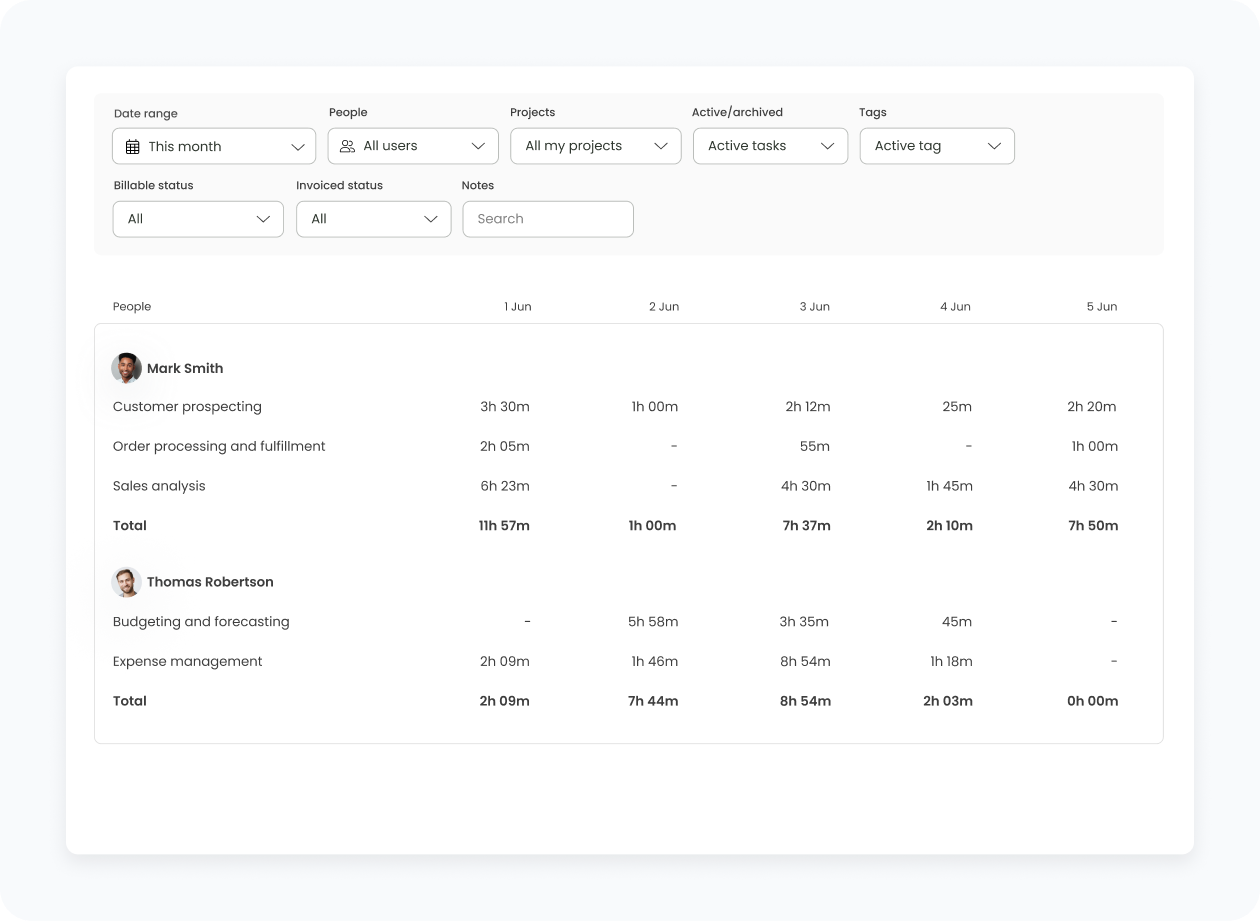
And because TimeCamp provides you with time-tracking data, you can easily generate and customize Jira time-tracking reports. With those reports, you can:

  • Analyze the actual time spent on Jira projects
  • Improve resource allocation
  • Track billable hours
  • Share accurate delivery estimates with your clients or stakeholders
  • Benefit from dynamic time tracking that doesn't require much involvement on your end
How to Enable integration

The Jira Step-By-Step Integration Process

Here at TimeCamp, we help our clients integrate our tool with Jira in the most straightforward manner. If you want to enable time tracking in TimeCamp, follow this step-by-step guide:

01

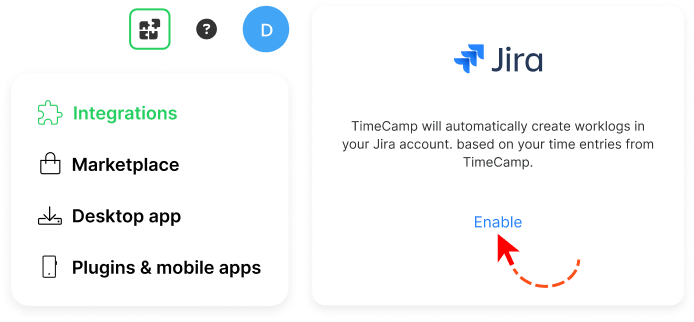
To enable the Jira integration, please navigate to the plugin icon and select the Integrations option. Next, find the Jira integration on the list and click the Enable button.

02

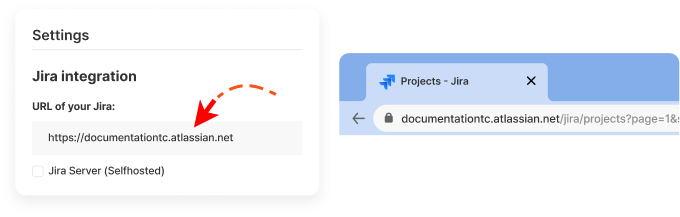
Next, to enable the integration, enter your Jira URL address. We'll need the entire address, "https://[company_name].atlassian.net

03

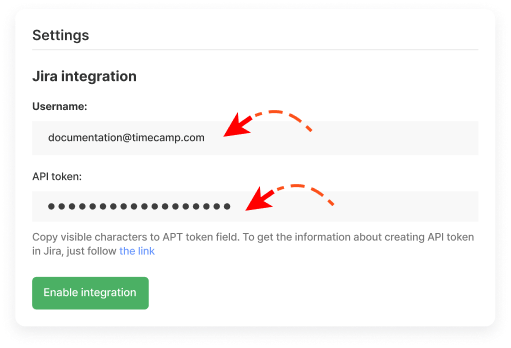
Enter the administrator account email address and the API token generated for your Jira account. You should copy visible characters to the API token field.

04

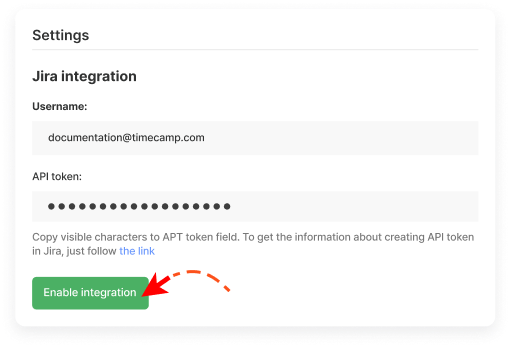
When the required information is filled in, click the green Enable integration button.

Key Benefits of Jira + TimeCamp

Automatic time tracking on Jira tasks

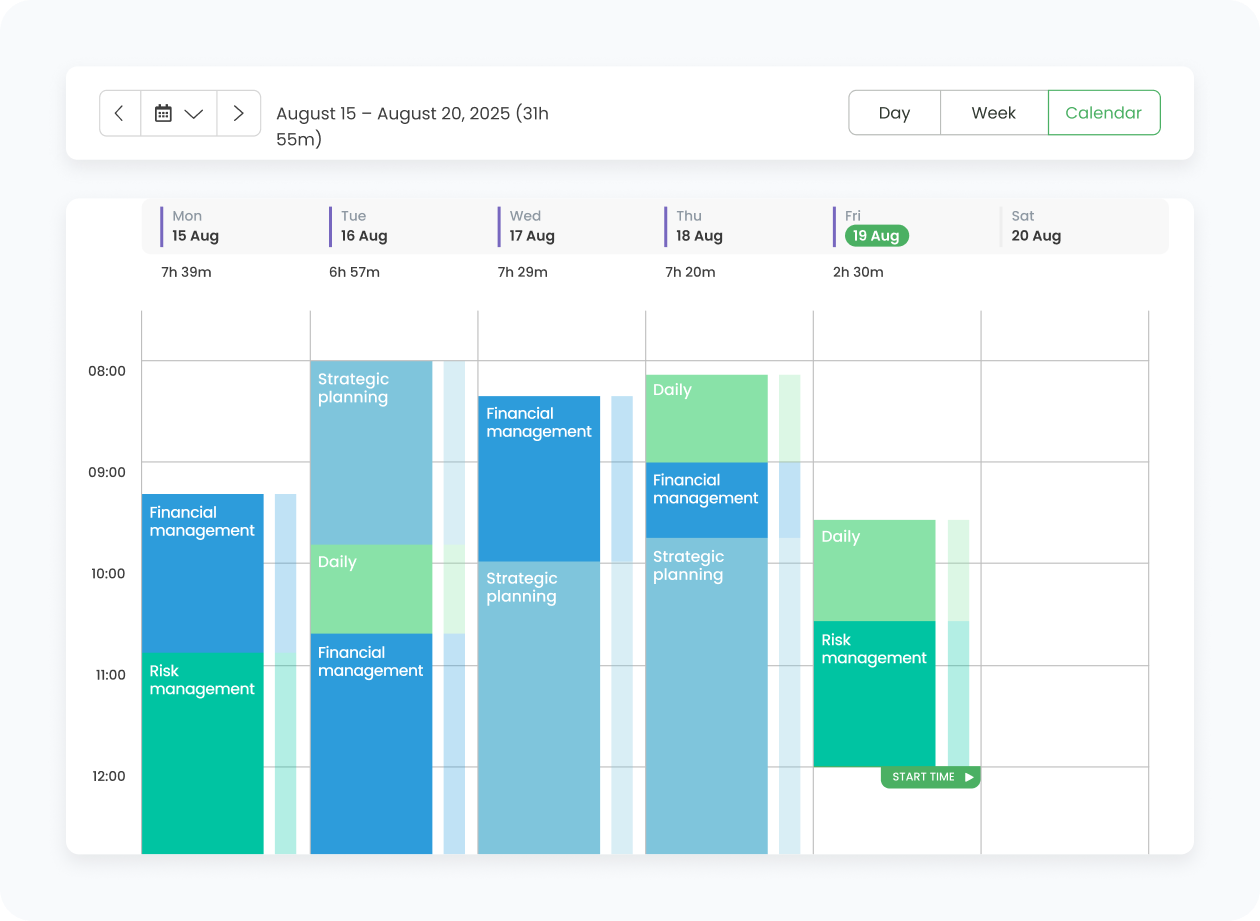
With TimeCamp, you can track time directly on imported Jira projects, epics, issues, and tasks to get an accurate view of your productivity and time spent on different activities. Every time entry is logged automatically, thus helping you spot bottlenecks and monitor work hours on autopilot.

Automatic project structure import

Jira projects, epics, issues, and subtasks are imported into TimeCamp as a ready-to-use structure, so there's no need to recreate anything manually. Any item the integration owner has access to is imported into TimeCamp, which allows you to keep both structures exactly the same.

Improved project management

By seeing exactly how long tasks and epics take, you can make better decisions about planning, resource allocation, and future project estimates. As a result, you can make more informed decisions and make sure project settings match its requirements.

Time savings

Instead of rebuilding project structures, TimeCamp automatically imports all accessible Jira projects, epics, and tasks. Your team can start tracking immediately without setup or repetitive work. Time tracking also happens automatically, so you can track time spent on different activities without adding anything to your to-do list.

Productivity and Time Management Insights

Accurate tracking of your time and productivity is incredibly important. With all the existing data in place, you can eliminate potential bottlenecks, improve team productivity (e.g., by adjusting the procedures and processes to real-world conditions), and get a more accurate understanding of your project management. Also, if you have project managers in your team, such insight can help them manage their teams in a more effective manner, too!

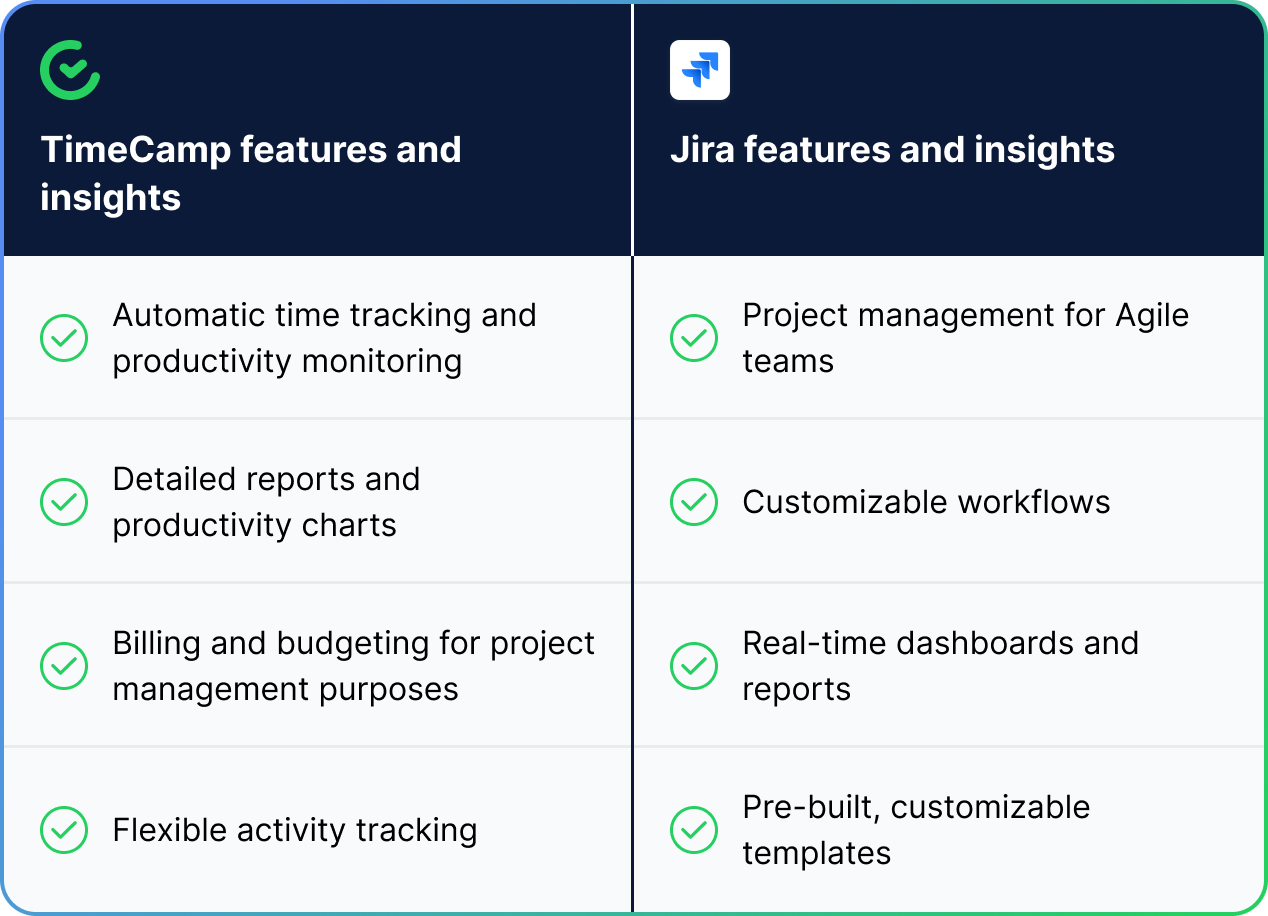
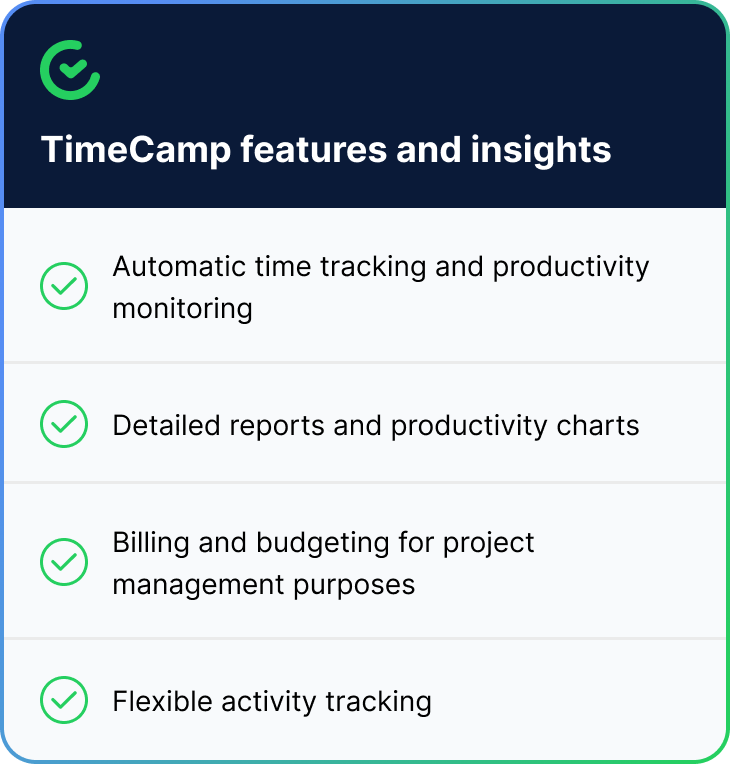
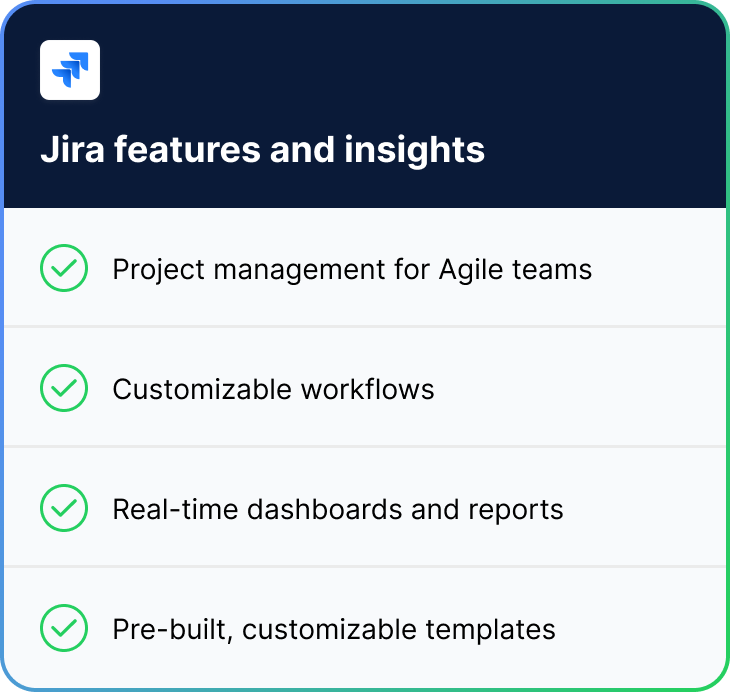
Take a look at how those two tools can work for your company's benefit:

Jira + TimeCamp Table
Jira + TimeCamp Table - Part 1 Jira + TimeCamp Table - Part 2
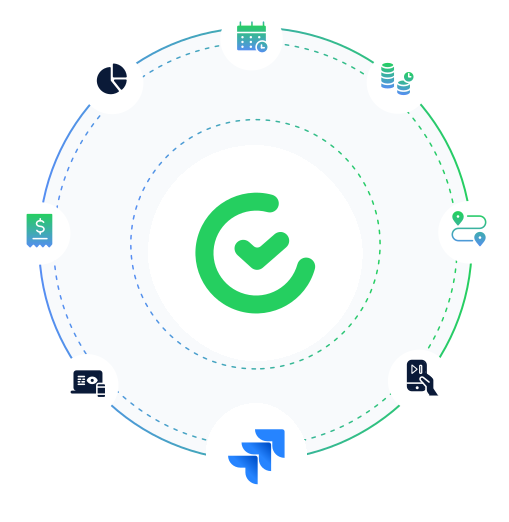
Jira + TimeCamp Circle

As you can see, Jira data becomes even more powerful with time insights.

When you have both tools working for you, you create a synergy effect where productivity, project, and time-tracking data come together to provide you with a full picture of your company's operations and effectiveness.

timecamp img
badge
badge
badge
badge
badge
badge
badge
badge
badge
badge

Start Tracking Your Jira Time With TimeCamp

Jira is a fantastic tool for Agile and software development teams. However, it's lacking comprehensive time-tracking tools. If you want to get the full picture of your team's work and productivity, you need a tool that will provide you with accurate time-tracking data. And this is where our role begins. Integrate TimeCamp with your Jira account to improve productivity, bill projects, and allocate resources with ease!

Frequently Asked Questions About Jira Integration

The integration will be enabled for the entire account, so all users will be able to track time on imported tasks. The integration will be connected to the Jira account of the person who enabled the integration.

Yes, it's possible. If you enable the export option, all tracked time will automatically sync to Jira. You can open any Jira task and see a full summary of the logged time.

Any new item that the integration owner has access to will be imported into TimeCamp automatically. Once the integration is enabled, there's no need for any manual setup.

Unfortunately, no, it is not possible to edit the structure of imported Jira items in TimeCamp.

Yes! TimeCamp uses advanced encryption and is fully compliant with most privacy regulations, including GDPR.

If you want to remove Jira from your TimeCamp account, you need to go to the plugin icon in your TimeCamp dashboard and select the Integrations option. Next, find the Jira integration on the list of active integrations and click Settings. In the Settings tab, you will find the Unlink integration button.

Yes, you can track both your time data as well as the time logged by your team members and coworkers.

Jira is a fantastic tool for Agile and software development teams. However, it's lacking comprehensive time-tracking tools. If you want to get the full picture of your team's work and productivity, you need a tool that will provide you with accurate time-tracking data. And this is where our role begins.

Integrate TimeCamp with your Jira account to improve productivity, bill projects, and allocate resources with ease!