Effortless monday.com
time tracking with TimeCamp

monday.com is a collaboration tool that enables you to plan, track, and collaborate on various projects in one place. Interestingly, monday.com has its own time-tracking solution. However, if you're looking for an accurate, comprehensive, and automatic time tracker, consider integrating monday.com with TimeCamp.

More automation, less manual work

Full profitability insights

Customizable, in-depth, log-based reports

High scalability (unlimited users)

Why monday.com time tracking alone isn’t enough

Similar to many other collaboration and work management tools, Monday's main focus is on general functionality. While monday.com does offer some time-tracking features (there's even a separate time-tracking column for that), if you're looking for a comprehensive solution, and not just a time-tracking widget, you may still benefit from the integration with TimeCamp.

Also, you need to keep in mind that Monday's timer works only when you remember to start it; it doesn’t track activity across tasks, and it doesn’t provide you with in-depth revenue, expense, and profitability insights. Even if your team manages tasks in Monday, there are some limitations. For instance, you can’t automatically analyze billable vs. non-billable hours, identify bottlenecks or time-wasting patterns, and generate invoices based on log history.
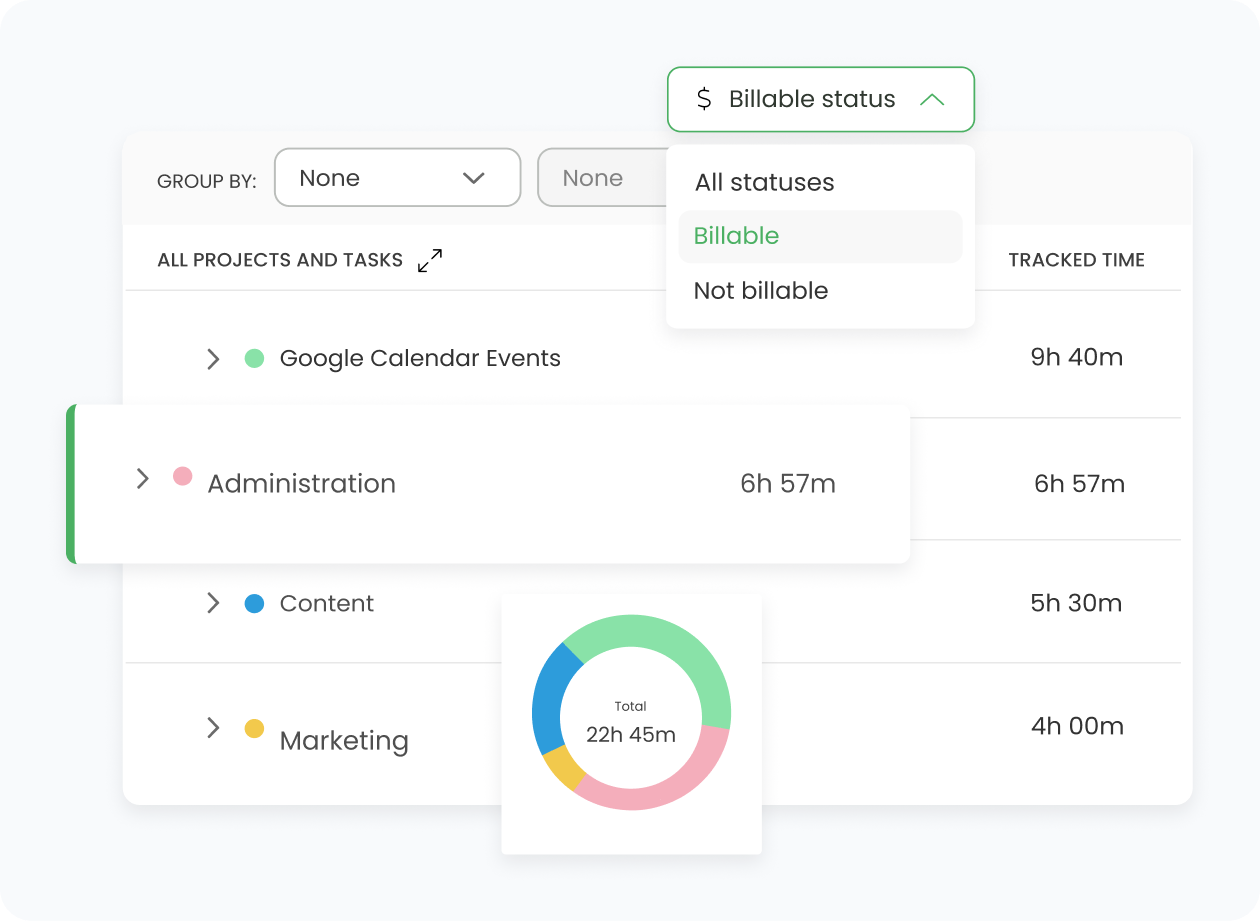
How TimeCamp Works With monday.com

TimeCamp expands on the Monday.com time tracking and provides you with more information. Our integration imports your Monday boards, lists, and items directly into TimeCamp, making it easy for your entire team to track time without changing how they work (the structure stays exactly the same, and there's no need to edit the structure of imported items in TimeCamp).

Users are assigned automatically to tasks based on their email addresses, which need to match both in TimeCamp and Monday. Once you integrate TimeCamp and Monday.com, you get access to:

  • Automatic time tracking
  • Project profitability and expenses monitoring
  • Real-time reporting
  • Billing and invoicing solution

With the TimeCamp-Monday tandem, you can create a complete time, cost, and productivity system for your business with all the time and productivity data easily available.

How to Enable integration

The monday.com step-by-step integration process

All the integrations available in our time-tracking tool are easy to implement and don't require any coding work. If you want to enable monday.com time tracking in TimeCamp, follow this step-by-step guide:
01

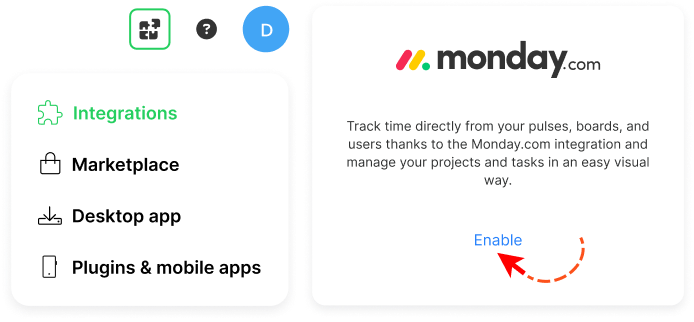
To enable the monday.com integration, go to the plugin icon and select the Integrations option. Next, find the monday.com integration on the list and click the Enable button.
02

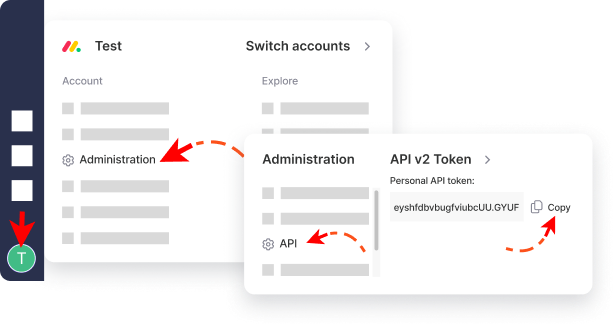
Next, paste your API token from the monday.com account. To find it, click your avatar (bottom-left corner) and go to the Administration panel, then open the API tab and copy your token.
03

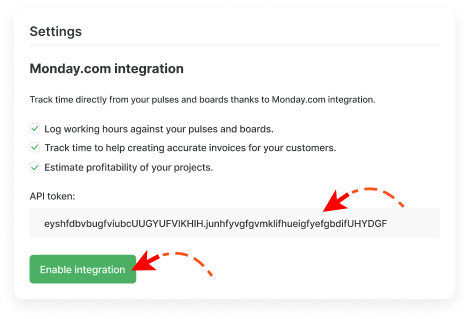
Enter the copied API token from your monday.com account and click the green Enable integration button.
04

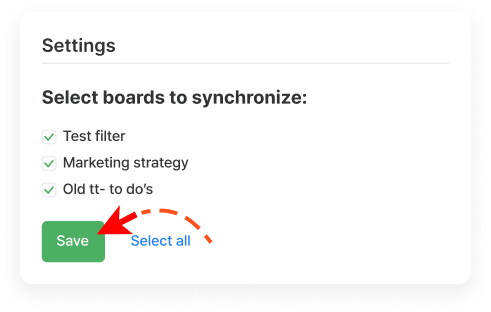
Now you can select boards and subitems you wish to synchronize and click the green Save button.

monday.com Need Help

Need Help?

Key Benefits of monday.com + TimeCamp

Track every billable hour with ease

TimeCamp automatically pulls your Monday boards and tasks into one place, so you can track time accurately without switching tools. This helps ensure you never lose billable hours and keep your projects on track. Our time tracker is accurate and fully automated for your convenience.

Instant view of project progress and delays

Thanks to TimeCamp, time entries are tied directly to your Monday tasks, so you get a real-time overview of how your team spends their hours. This makes it easy to catch bottlenecks early and take action before a project falls behind, even if you have multiple users working on the same task or project.

Improved project estimates and budgeting

Our time-tracking widget shows everything you need to analyze time-related data in your business. By comparing planned vs. actual hours, you can estimate future work more accurately, set more accurate budgets, and ensure each project's profitability.

One comprehensive ecosystem for your business

With both tools working for you, you can create a well-oiled machine that helps you be as effective as possible. For instance, TimeCamp can generate invoices based on tracked time, while the Monday structure keeps everything organized. Your team can start timers directly from tasks using our Chrome plugin. With this feature in place, there's no need to jump between tabs.

Productivity and Time Management Insights

Productivity monitoring and effective time management are essential for keeping your team focused, efficient, and on schedule. With TimeCamp, you can see exactly how work hours are spent and what hinders your growth.

With such knowledge, you can:

  • Identify bottlenecks and inefficiencies
  • Adjust workloads to make them both balanced and effective
  • Improve the overall performance of your team
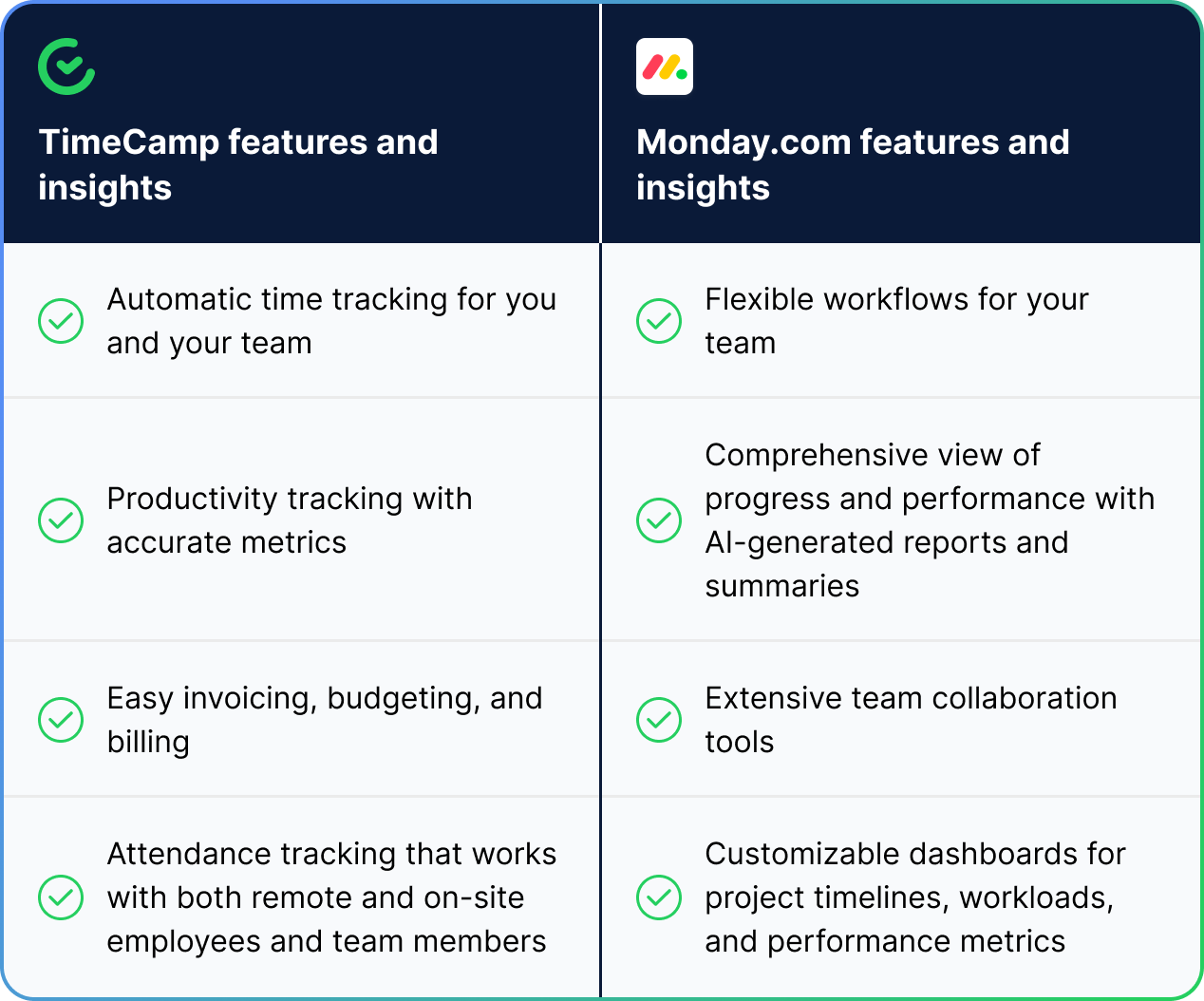
monday.com + TimeCamp Table
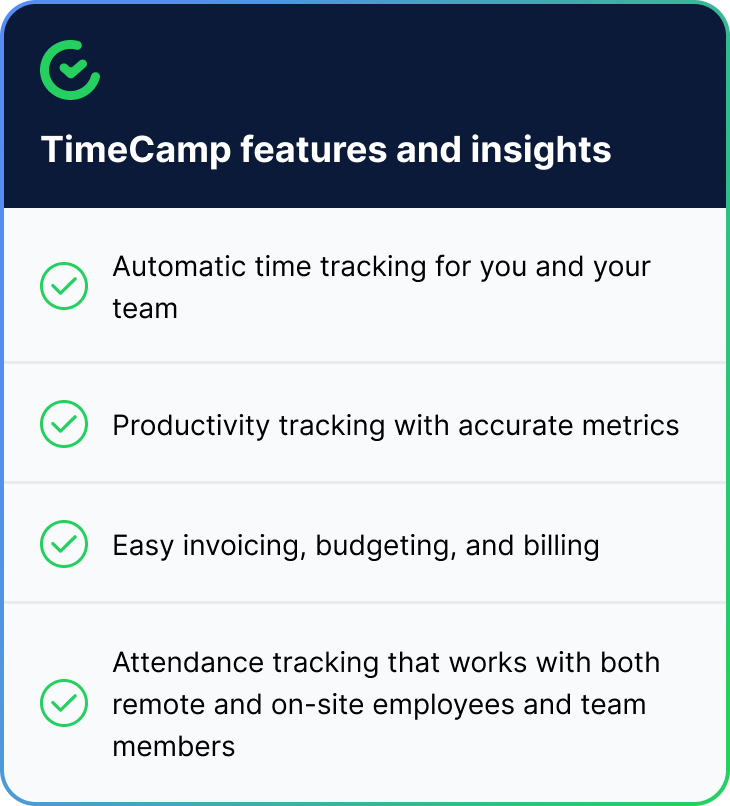
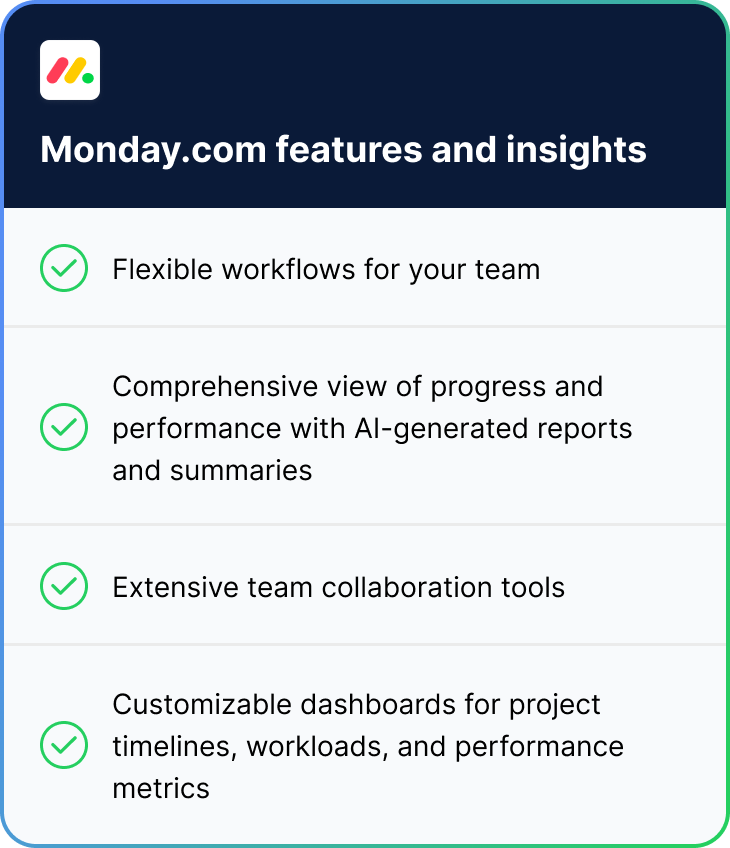
monday.com + TimeCamp Table - Part 1 monday.com + TimeCamp Table - Part 2
monday.com + TimeCamp Circle

monday.com data becomes even more powerful with time insights.

Both monday.com and TimeCamp provide you with accurate insights, from automatic time tracking and clear progress metrics to reports that help you stay productive, make better decisions, and improve overall performance.

timecamp img
badge
badge
badge
badge
badge
badge
badge
badge
badge
badge

Start Tracking Your monday.com Time With TimeCamp

monday.com can be very helpful for managing projects, tasks, and workflows. However, it doesn’t offer some of the advanced time-tracking capabilities that many teams need. If you want the full picture of how your team works, you need accurate time tracking insights. Integrate TimeCamp with your monday.com account today to boost productivity, streamline billing, and simplify project management.

Frequently Asked Questions About monday.com Integration

The integration will be enabled for the entire account, so all users will be able to track time on imported tasks. The integration will be connected to the Monday account of the person who enabled the integration.

If you create a new item in Monday, it will be automatically imported to TimeCamp within 1 hour. You can also immediately synchronize the integration and update newly added items by using the “Force synchronization”.

Yes! TimeCamp uses advanced encryption and is fully compliant with most privacy regulations, including GDPR.

If you want to remove Monday from your TimeCamp account, you need to go to the plugin icon in your TimeCamp dashboard and select the Integrations option. Next, find the Monday.com integration on the list of active integrations and click Settings. In the Settings tab, you will find the Unlink integration button.

Yes! If you’ve installed the browser plugin and logged in to your TimeCamp account, a start timer button will appear next to all your tasks in Monday. Just open the task and click the green “Start timer” button to start tracking, or simply click the green start icon next to the selected item. The browser plugin will be automatically synchronized with your web Timesheet. Read more about our browser plugin.

There is no doubt that Monday.com can be very helpful if you want to easily manage projects, tasks, and team workflows in your company. However, it doesn’t offer some of the advanced time-tracking capabilities that many project managers and team leaders need to complete tasks and manage work effectively.

If you want a full picture (that includes time-related data and insights) of how your team works and uses their time, you need a tool that provides you with accurate time-tracking insights. That's our role here at TimeCamp!

We encourage you to integrate TimeCamp with your Monday.com account today. As a result, you will boost productivity, streamline billing, and simplify project management. And we're here for you if you have more questions!