Effortless Notion
Time Tracking With TimeCamp

Notion is an AI-powered all-in-one workspace platform that enables you to create, organize, and collaborate on notes, documents, databases, and projects in one place. With TimeCamp Notion time tracking, you can supercharge your results and insights with accurate time-tracking data that allows you to:

Bring your Notion workspace into TimeCamp without rebuilding it from scratch

Track time right inside Notion (with our browser extension)

Create detailed, data-driven reports for your tasks and projects in Notion

Monitor your teams' productivity with a few simple clicks

Why Notion Alone Isn’t Enough 

Notion is a very good tool if you want to manage projects and automate manual tasks. It even comes with ready-made time-tracking templates you can use to track time in Notion and maximize productivity. Even though you can build a tasks database for your tasks in Notion (with a linked database view) and manage everything inside the projects database, Notion doesn’t offer any built-in robust time-tracking setup. The only thing you can do is manually update a status property or log time yourself, but that solution is ineffective and prone to errors and inconsistencies.

If you want to have access to all the relevant data, including the big picture of how your time is spent, you probably need a dedicated time-tracking tool. And this is where our role begins. With just a few clicks, you can connect TimeCamp to your Notion workspace and benefit from in-depth time tracking for your team.
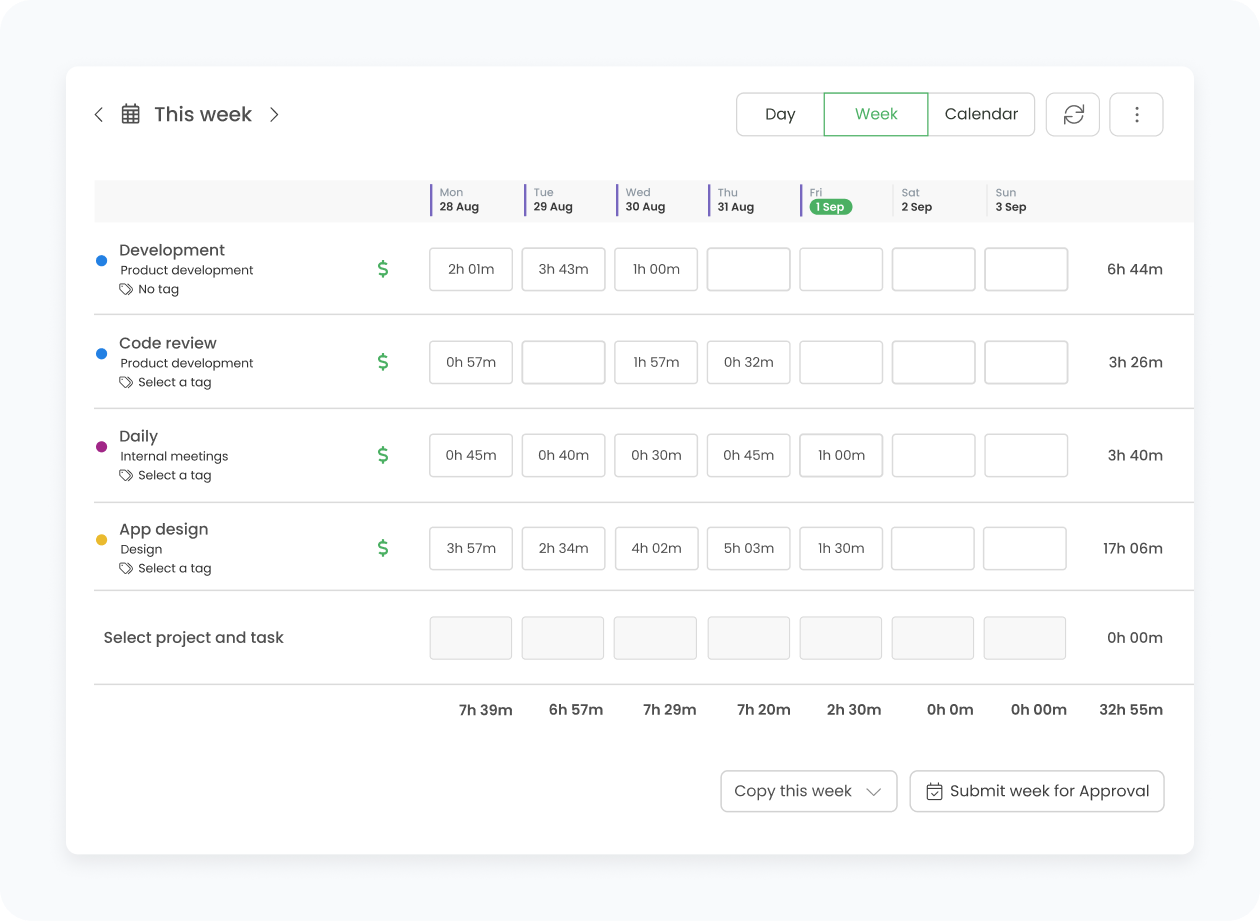
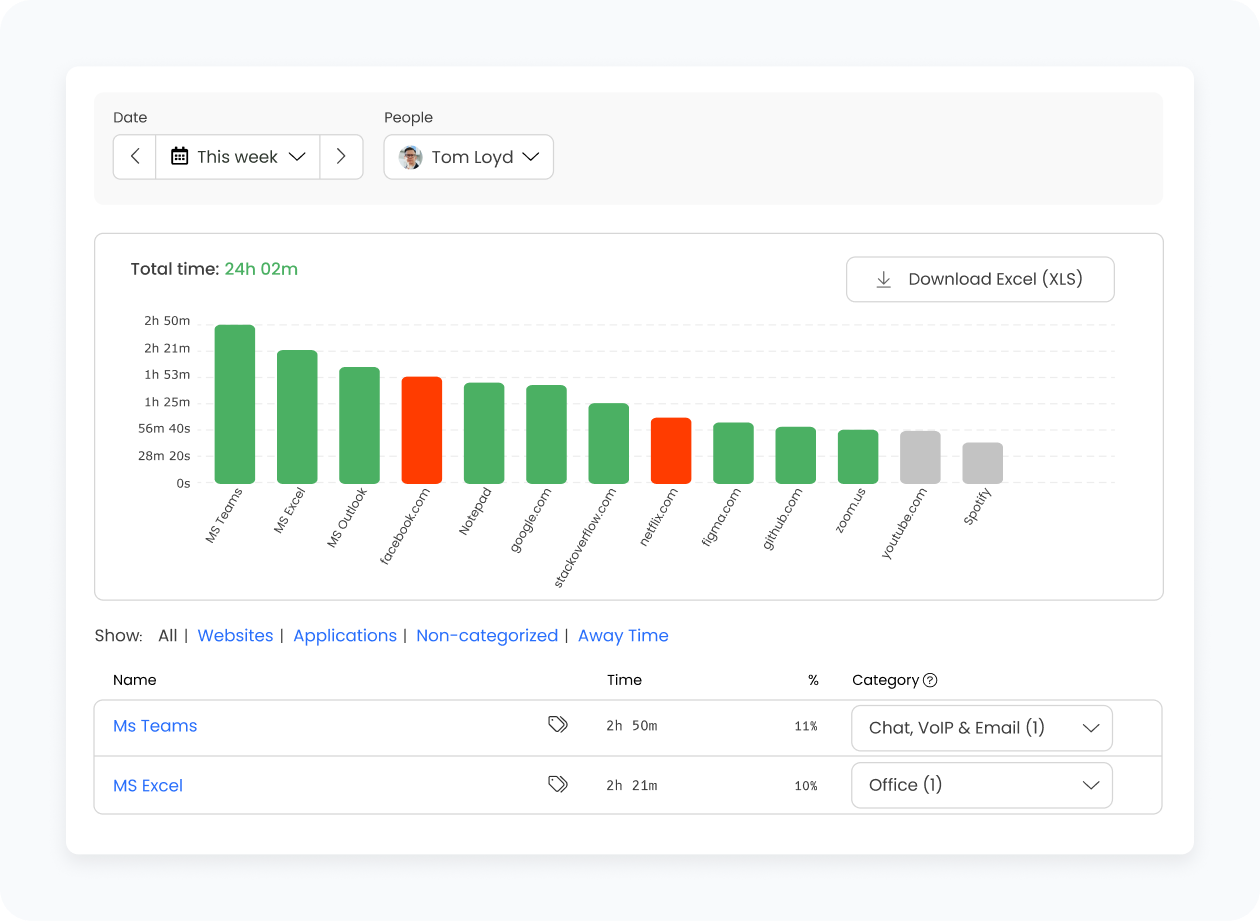
TimeCamp offers a fully automated time tracker that can be integrated with your Notion account. And since TimeCamp works with unlimited users (even tens of thousands of them), you can benefit from this integration no matter how large your team is. Also, our time-tracking app works both on desktop and mobile devices, so you can track time on every Notion task no matter where you are located.

How TimeCamp Works With Notion

TimeCamp’s integration with Notion allows for automatic time tracking within the workflows you already have set up in Notion. Once the integration is enabled, it applies to the entire account, allowing all users to track time on imported tasks. Each Notion database becomes a task within the main Notion project in TimeCamp, and every item inside that database is imported as a subtask. You can set additional parent–child relationships in the integration settings, but the overall structure imported from Notion stays the same in TimeCamp.

All TimeCamp users are initially assigned as Regular users to the Notion project, and you can later adjust their roles or limit them to specific tasks. If you enable the export option, TimeCamp will automatically send tracked time back to a selected property in your Notion database. New items created in Notion sync to TimeCamp automatically within one hour (or instantly when using the Force synchronization option). Additionally, you can also use TimeCamp’s browser plugin that lets you track time directly on the Notion website.

TimeCamp provides you with accurate time-tracking data that's fully aligned with your activities in Notion. Thanks to that, you can:

  • Analyze minutes spent on Notion tasks and projects
  • Generate customizable time reports
  • Draw conclusions from the total time tracked in Notion and other third-party tools
  • Share accurate project estimates and quotes with your clients
  • Fully automate time tracking in your company
How to Enable integration

The Notion Step-By-Step Integration Process

Even in the free plan, you can integrate TimeCamp with Notion. To do so, follow the steps outlined below:
01

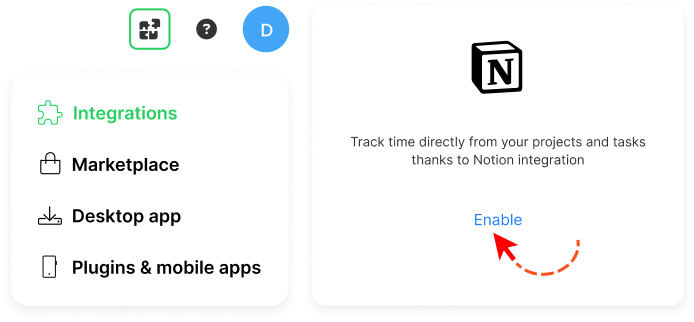
To enable the Notion integration, navigate to the plugin icon and select the Integrations option. Next, find the Notion integration on the list and click the Enable button.
02

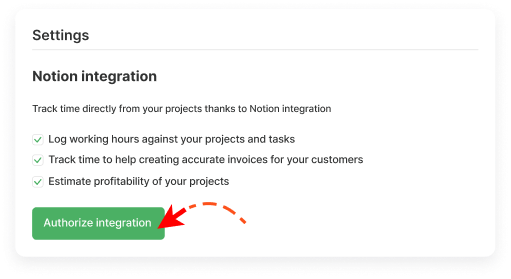
Next, click the green Authorize integration button.
03

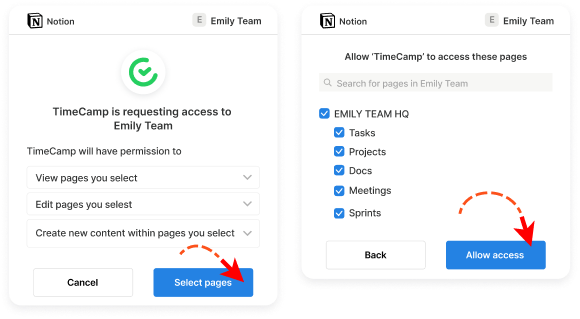
In the next step, you’ll be redirected to the Notion page and asked to select pages that should be imported to TimeCamp. To continue, mark the checkboxes next to the databases you want to integrate and click the Allow access button.
04

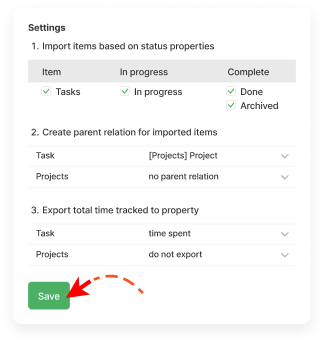
When integration is enabled, mark the checkbox next to databases that should be imported and optionally define a few additional settings for each of them. When you're finished with settings, don't forget to Save changes.

Here are the additional elements you can configure:

Import items based on status properties:

Select statuses for items that should be imported from Notion to your TimeCamp account. Items that are not synced won't appear on the list of active tasks.

Create parent-child relation:

Instead of a standard structure where databases with their items are imported separately as tasks under the Notion project, here you can define where the database should be located. This way, you can locate items from the Tasks database under the items from the Projects database.

Export time:

It is possible to export tracked time only to properties of type "number". So if you added a number type property in Notion, you can select it from the list to export your tracked time to that property.

Trello Need Help

Need Help?

Key Benefits of Notion + TimeCamp

Automatic time tracking inside Notion

With TimeCamp, you can track time directly in Notion. Our browser plugin adds a Start/Stop timer button to your Notion tasks, making real-time tracking effortless. You can track your work without leaving the Notion interface.

Automatic project structure import

With just a few clicks, TimeCamp automatically imports your Notion databases and items, turning them into tasks and subtasks. You don’t need to rebuild anything—your project structure is automatically imported and ready for time tracking.

Improved project management

With TimeCamp, you can analyze every time entry and Notion task. Use this input to improve project management in your team, eliminate potential inefficiencies, and enhance your team's productivity.

Clear, detailed reports

All tracked time syncs back to TimeCamp, where you can build comprehensive reports for tasks, projects, and teams. Whether you need insights for billing or productivity, generating a report takes only a moment.

Productivity and Time Management Insights

Having access to accurate data on time spent on different projects and activities is immensely important if you want to improve your company's operations and procedures. Time-tracking data can help you make informed decisions on how to optimize work and related processes. You can also spot potential productivity killers and eliminate them from the equation to streamline work.

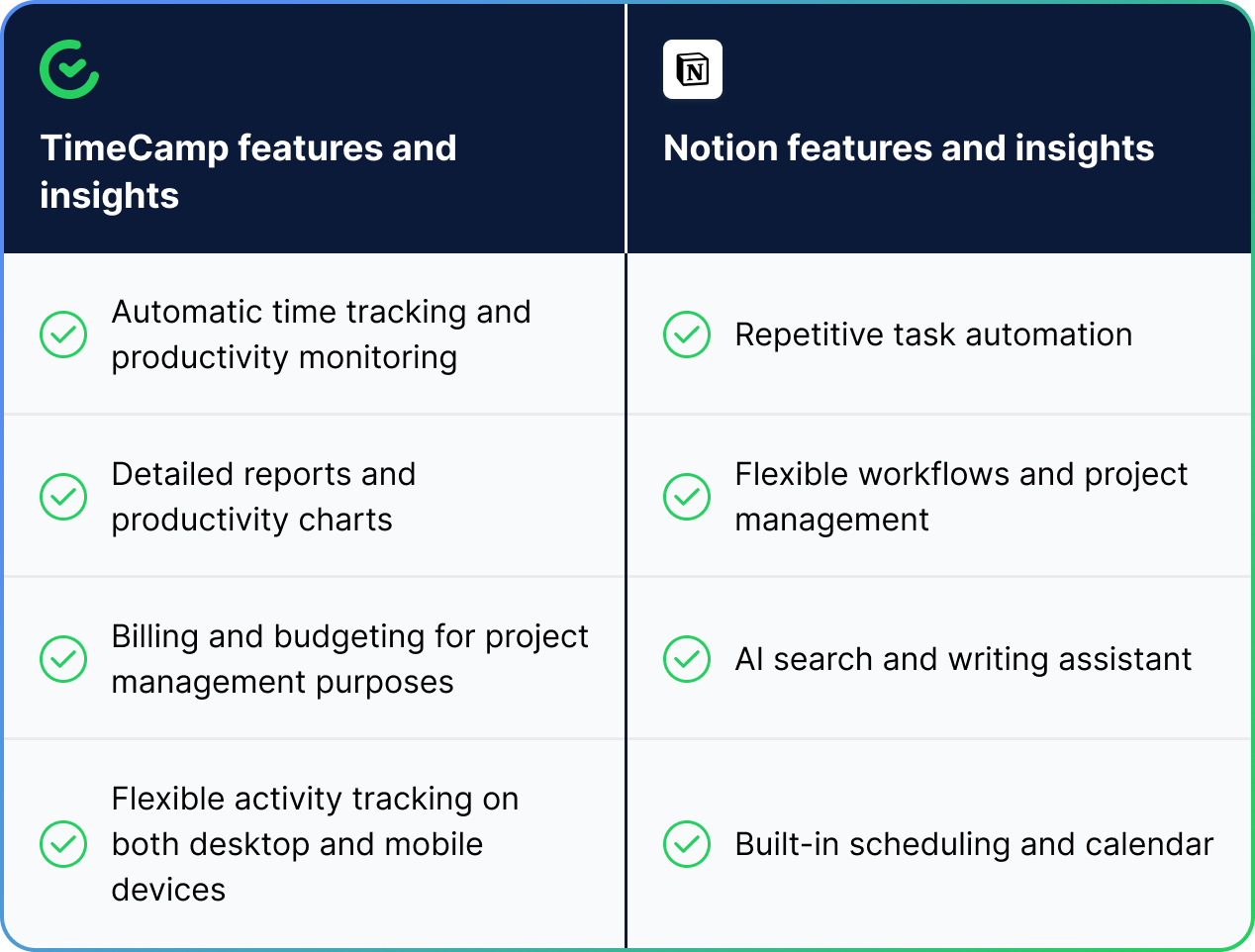
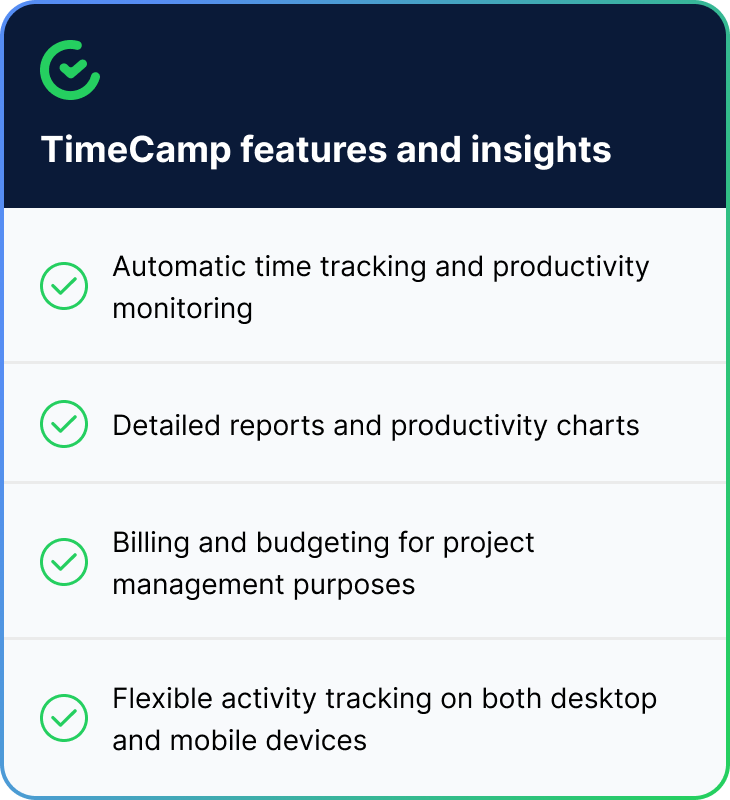
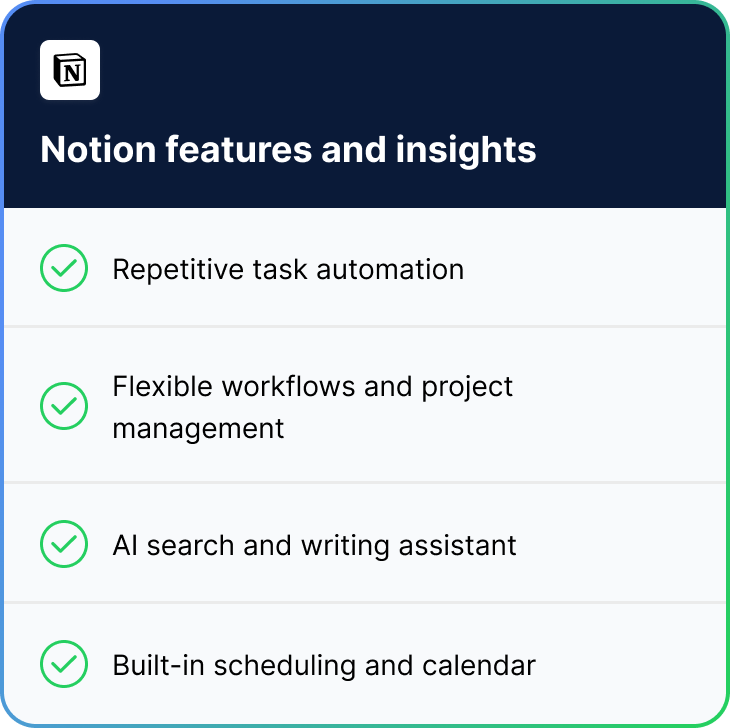
Take a look at how those two tools can work for your company’s benefit:

Trello + TimeCamp Table
Trello + TimeCamp Table - Part 1 Trello + TimeCamp Table - Part 2
Trello + TimeCamp Circle

As you can see, Notion data becomes even more powerful with time insights.

If you integrate Notion with TimeCamp, you get access to automated timesheet software that helps you stay focused and more efficient. With such a setup, you can finish more projects and tasks in a shorter timeframe, because you learn how to make the most of every hour spent at work.

timecamp img
badge
badge
badge
badge
badge
badge
badge
badge
badge
badge

Start Tracking Your Notion Time With TimeCamp

Supercharge your Notion workspace with accurate time tracking. TimeCamp seamlessly imports your databases and items, letting you track time on notes, documents, and projects without leaving Notion. Get detailed reports, monitor team productivity, and export time data back to Notion—all with just a few clicks. Start your free integration today!

Frequently Asked Questions About Notion Integration

The integration will be enabled for the entire account, so all users will be able to track time on imported tasks. The integration will be connected to the Notion account of the person who enabled the integration.

Currently, it is not possible to edit the structure of imported items in TimeCamp.

Yes, if you enable the export option in integration settings, tracked time will be automatically exported to the selected property in your database in seconds format. Important: The Number type property must be added to your Notion database to view the exported time.

Yes! TimeCamp uses advanced encryption and is fully compliant with most privacy regulations, including GDPR.

If you want to disconnect Notion from your TimeCamp account, you need to go to the plugin icon in your TimeCamp dashboard and select the Integrations option. Next, find the Notion integration on the list of active integrations and click Settings. In the Settings tab, you will find the Unlink integration button.

This plugin allows you to track time directly within the Notion website. Read more about our plugin's functionality.

Notion is an amazing tool that streamlines your work and projects with AI-powered capabilities. However, if you're after improved productivity and time effectiveness, make sure to track Notion time with TimeCamp! Our time tracker and timesheet software help you analyze your and your team's time in order to streamline client billing, boost productivity, and eliminate bottlenecks from your processes.