








time and invoicing software

Track and invoice hours in a single app

Turn already tracked hours into professional invoices, send them to clients, or sync to your accounting tool with TimeCamp, online time tracking and invoicing software.

Invoicing top image

Crafted locally, trusted globally

Make all tracked hours into the invoice

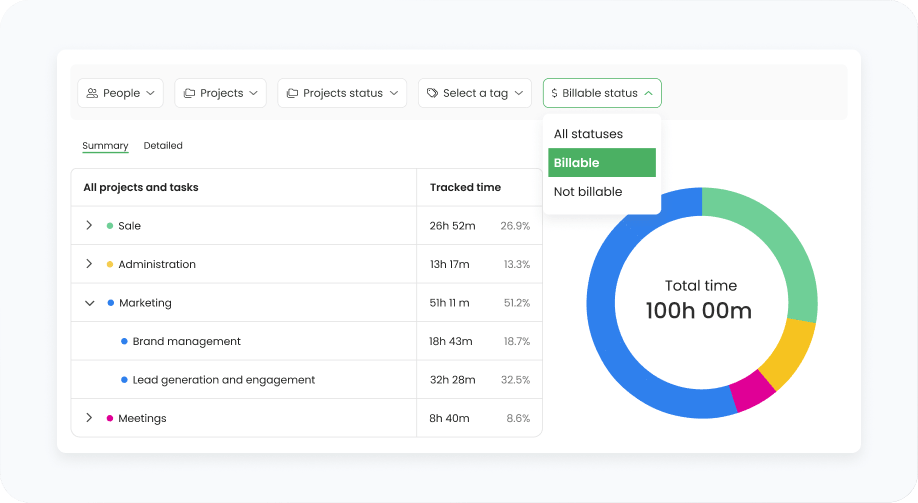
Create invoices based on billable hours your team has already tracked. Combining time tracking and invoicing in a single tool reduces manual time-entry errors and speeds up the payment process, helping your business maintain steady cash flow.

Create error-free invoices

Manual input leads to invoicing mismatches and errors, but switching to automatic time tracking ensures client invoices accurately reflect completed work, and your team is compensated fairly.

features
features

Adjust the invoice before sending

Generate invoices from tracked billable hours for projects or tasks. Enter the client details, specify the timeframe, add expenses, group time as you prefer, and preview the invoice before sending.

Manage your invoices

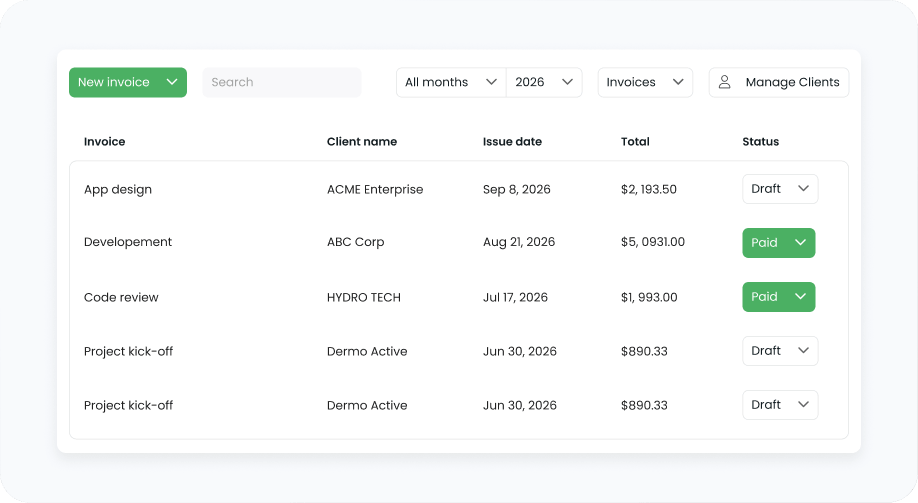
See what happens with the invoices once they're issued. Send them straight to your clients via emails with personalized messages or handy links, or download PDF files for internal documentation.

features

Invoice billable hours with just a few clicks

Take a quick call with us to match your billable hours with the TimeCamp invoicing workflow, or start for free for 14 days.

14-day free trial No credit card
badge
badge
badge

Invoicing clients made simple

Different industries and professions have their unique needs, but one thing connects them – they all want to turn hours worked into profit. TimeCamp's invoicing capabilities make it easy to get paid for specific projects on time, down to the single penny.

Agencies category image Agencies

Set different hourly rates across all clients without a month-end reconciliation

Remote Teams category image Software houses

Know whether a flat-fee project makes money before planning the next one

Consultants category image Consulting firms

Bill employees by experience-based hourly rates, not by the team's average

Field teams category image PSFs

Create detailed reports and see margin per client without leaving TimeCamp

Easy to record time spent and costs, with straightforward invoicing directly to Xero.

Verified G2 User 30+ employees

TimeCamp allows us to track time spent on each phase of a project, bill/invoice accordingly, and run time reports to estimate future project proposals.

Sarah Ferreter Verified G2 User, 30+ employees

Invoicing integrations to get paid faster

TimeCamp's accounting integrations help keep your books up to date and manage invoices more efficiently.

Xero category image Xero

Export invoices, sync clients, rates, and taxes

Quickbooks Online category image Quickbooks Online

Export invoices, sync clients, rates, and taxes

Paypal category image Paypal

Track online payments for issued invoices

FAQ

TODO: answer missing

Invoicing features in TimeCamp start with paid plans, starting with the Starter plan at $3.99 per user (billed annually). QuickBooks and Xero integrations are available on the Premium plan for $6.99. Invoicing software customization (such as custom invoice templates) is a part of the Enterprise plan. The free plan does not include invoicing.

The billable hours you track are the hours you invoice, without retyping between other tools. TimeCamp turns billable time, expenses, and rates into an invoice, and lets you choose how that time is presented on the financial records. The result is accurate billing per project or task that your clients can link back to the work itself, rather than a total with no way to verify it.

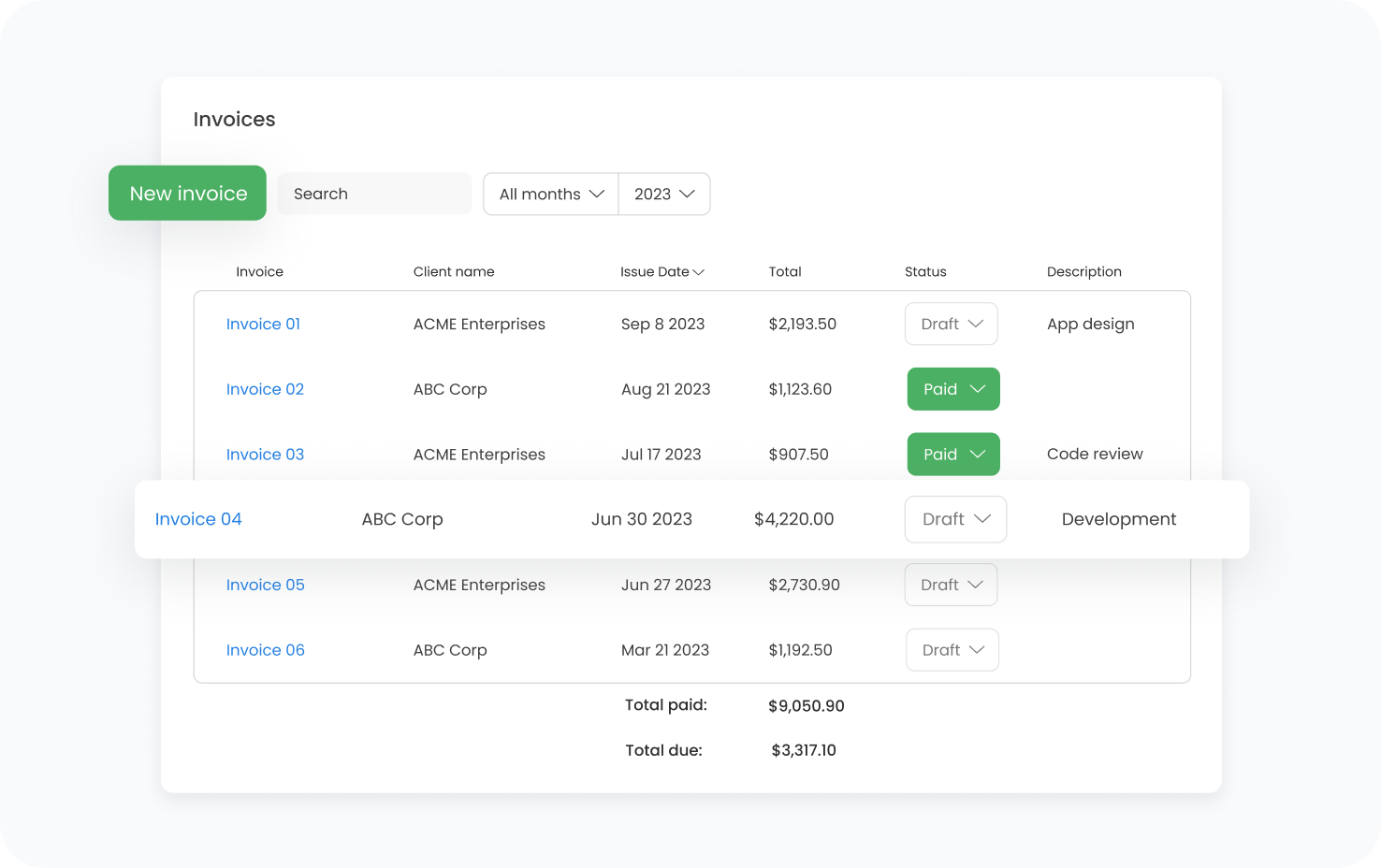
TimeCamp provides three invoicing statuses: draft, pending, and paid. Draft means an invoice that has been created but not sent yet; pending means invoices with overdue payments; and paid means an invoice with a completed payment. If you connect your PayPal account in settings and clients use this method to pay an invoice, the status will automatically change from Pending to Paid. Besides, the list of invoices is filterable by status.

With billable hours, rates, and expenses already organized in TimeCamp, you can issue invoices straight from tracked work, instead of rebuilding it from spreadsheets. This way, clients get their invoices sooner. For a business running multiple projects at once, the steady rhythm of billing clients keeps cash flow predictable.

When moving billable time by hand from spreadsheets into an invoice, small entries, such as revisions or calls, can slip through. TimeCamp, on the other hand, ensures you have one place to track work time, add rates, and log expenses, and then automatically turns all data into an invoice, so more of the billable work you actually did reaches the financial records instead of leaking away.

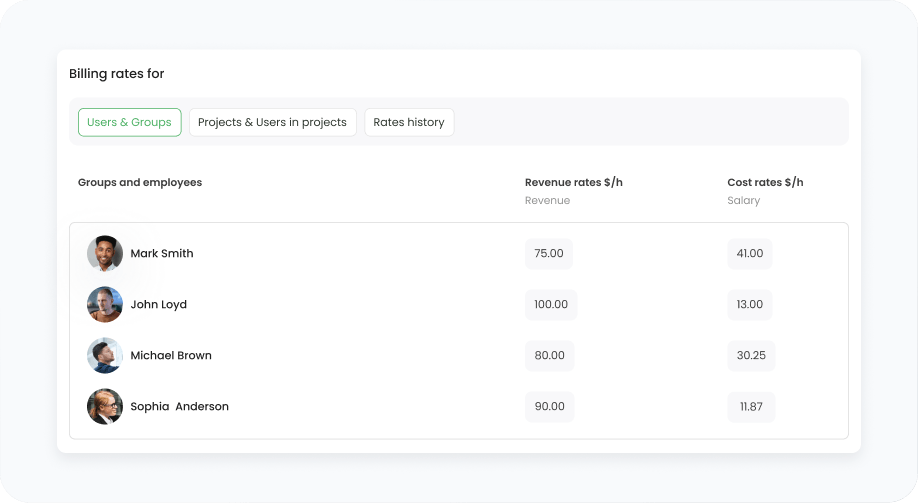
TimeCamp allows you to set the currency on each invoice and apply billing rates by specific projects, users, or tasks. This way, billing clients internationally doesn’t mean pulling rates or exchanging the amounts in separate tools. Billable time, client details, taxes, and invoice exports stay in the same process, keeping your financial records even when managing projects runs across different countries.

timecamp img

Create invoices from work already logged

Shorten the way from timesheet to invoice with time tracking and invoicing software. Try TimeCamp's advanced features for free for 14 days or just book a call with us to see if it's the right fit for your business.

14-day free trial No credit card
badge
badge
badge
badge
badge
badge
badge
badge
badge
badge