









TimeCamp logo

Simplify attendance management with TimeCamp

  • Monitor employee attendance

  • Manage leave requests

  • Generate attendance reports

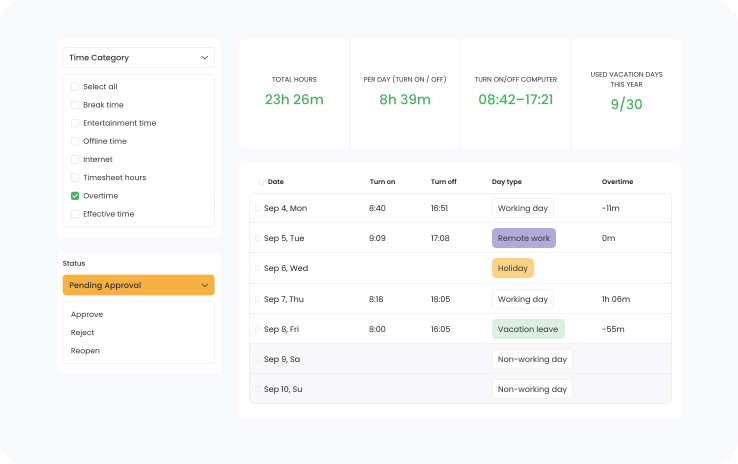
TimeCamp attendance report with work hours, day types, and a pending approval

Trusted by 18,000+ teams

Easily manage employee attendance by tracking workdays, vacations, and remote work

With TimeCamp attendance tracking can be simple

  • Accurate tracking of workdays, holidays and leaves

    TimeCamp offers a comprehensive solution for managing employee attendance. Mark workdays, such as regular office days, vacations, and remote work, approve leave requests, and generate detailed attendance reports, ensuring precise and efficient attendance tracking.

  • Valuable insights with attendance reports

    Create and distribute detailed reports that highlight employee attendance, including workdays, leave days, and remote work. These reports offer valuable insights into attendance patterns, assisting in payroll and resource management.

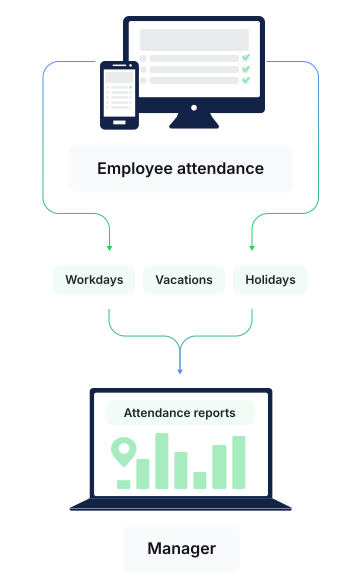
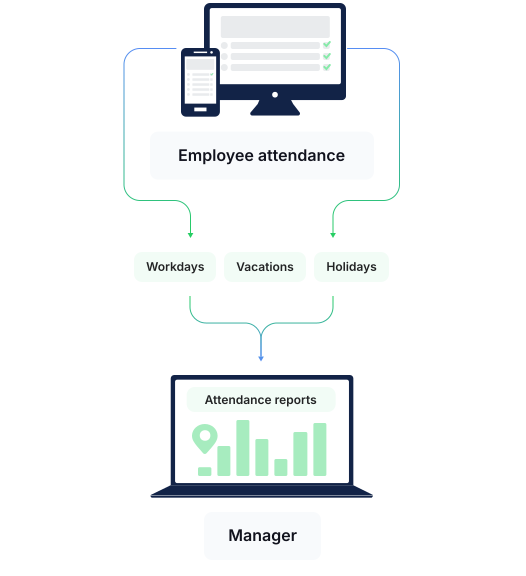
Employee attendance split into workdays, vacations, and holidays that flow into attendance reports for the manager

TimeCamp improved reliability for

86.9%

of users who tracked time before in other ways.

Ease of use drove

82.2%

of our users to choose TimeCamp over other time trackers.

How to use TimeCamp for attendance monitoring?

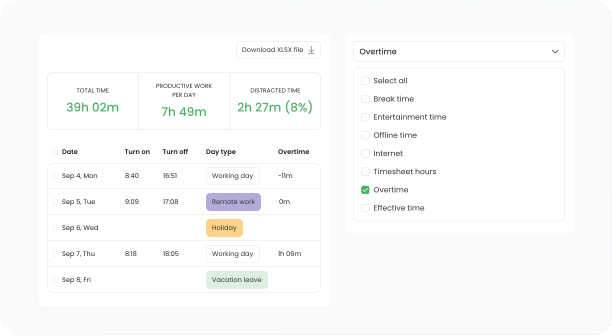
Attendance report with day types next to time category filters

Configure attendance settings

Configure your attendance settings to include all essential parameters such as the allowable duration for leaves, designated holidays, and other day types. Tailor settings to align perfectly with your company's specific requirements, ensure accurate records, and simplify leave approvals.
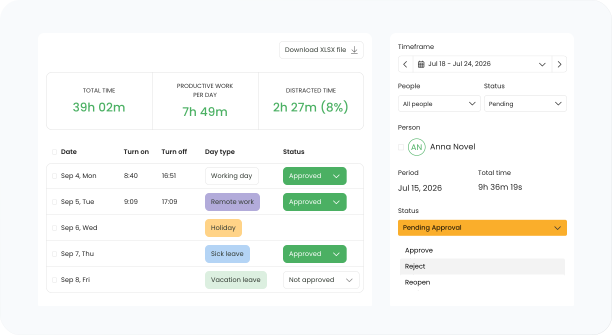
Attendance list with approval statuses next to a pending leave request

Managing leave requests

Employees can easily request changes to their workday type, such as vacation, leave, or remote work, through the intuitive TimeCamp interface. Supervisors review and approve or reject leave requests, ensuring accurate and timely management of employee attendance.

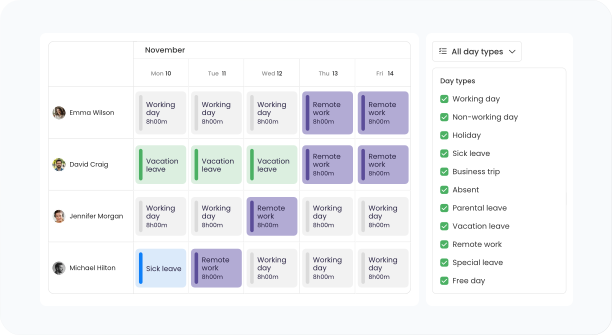
Weekly attendance calendar with day types per employee and a day type filter

Generate and export attendance reports

Create detailed reports that include all recorded workdays, leave days, and remote work days. These reports help you monitor employee attendance, manage payroll, and make informed decisions about workforce management. Export the reports as CSV, Google Spreadsheet, PDF, or XLSX to streamline your data processing.

Track work entry and exit times with TimeCamp

With TimeCamp, you can easily monitor the time your employees start and finish their work.

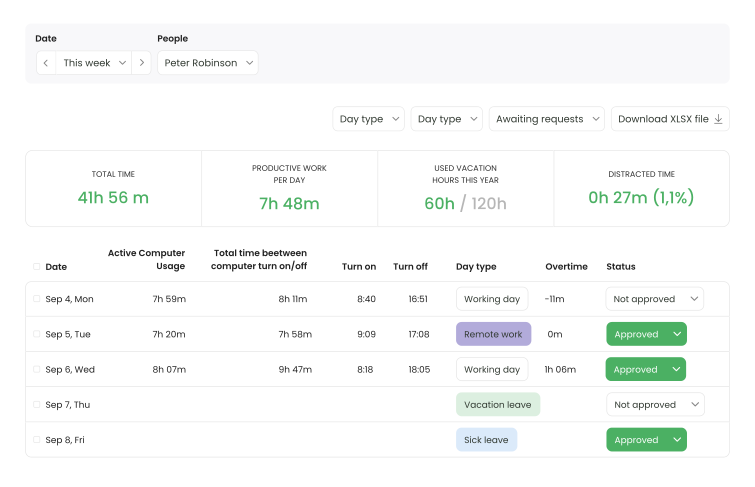
Weekly attendance with computer turn on and off times, day types, and approval statuses

TimeCamp supports every role in your company

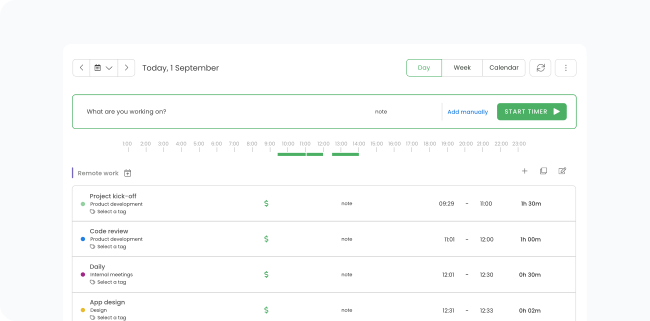
TimeCamp web app timesheet with a running timer and the day viewTimeCamp web app timesheet with a running timer and the day view

Web app

TimeCamp web app with simple one-click timer, easy-to-use timesheets, and reporting module is perfect for every type of office work and management purposes. You can also approve your employees' timesheets, add expenses, and share reports with your clients from here.

Best for:

  • Office employees
  • Managers
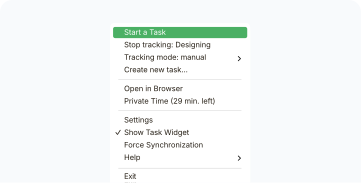
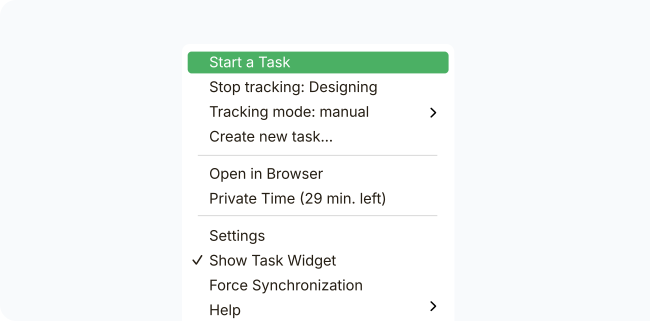
TimeCamp desktop app menu with the start task and tracking mode optionsTimeCamp desktop app menu with the start task and tracking mode options

Desktop app

You can use the simple timer, but the TimeCamp desktop app can also automatically track and record your activities, like documents, websites, and apps to let you assign them to projects.

Best for:

  • Remote employees
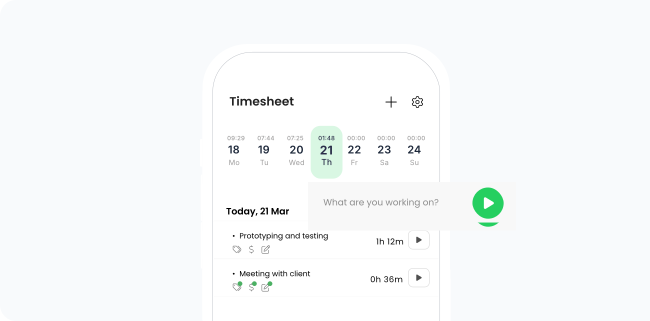
TimeCamp mobile app timesheet with the week strip and a timer promptTimeCamp mobile app timesheet with the week strip and a timer prompt

Mobile app

Start the timer with a single tap and keep track of time for your projects anywhere you are. Discover even more possibilities with GPS tracking and Geofencing - automatic time tracking based on location.

Best for:

  • Field employees

Native and Custom Integrations

Time tracking that fits right in

Keep your existing setup - TimeCamp will just help you measure it better.

See all integrations

Custom Integrations for your workflow

TimeCamp understands that every team runs differently. No need to change your current setup - just request a custom connection that bridges your favorite tools with our time tracking platform.

Learn more about Enterprise features

Check other use cases

TimeCamp offers more possibilities to improve your business operations

How would TimeCamp fit into your organization, you say? Discover it with our consultant.

Set a demo in under a minute, then start for free.

or sign up with:

14 days for freeNo credit card required

user reviews
4.7
user reviews
4.7
user reviews
4.7
  • Capterra Shortlist 2025
  • GetApp Category Leaders 2025
  • Software Advice FrontRunners 2025
  • G2 Highest User Adoption, Mid-Market, Fall 2026
  • G2 High Performer, Mid-Market, Fall 2026
  • G2 Leader, Fall 2026
  • G2 Regional Leader, Europe, Fall 2026