Your last timesheet was yesterday.
The AI desktop app learns from your work as it happens. At the end of the day it hands you a finished timesheet — you just hit approve.
 Download for macOS
 Download for Windows
Crafted locally, trusted globally


Our goal is simple: make time tracking 100% automated and 100% accurate.
How it works
It starts working right away.
And gets more useful every day.
Starts working immediately
No timers, no setup, no integrations. Install it, keep working — TimeCamp quietly picks up the rest in the background.
Gets to know you
It learns your projects, repos, files, and meetings, so you never have to explain your day. Every correction makes it smarter.
Works alongside you
At the end of the day, review a short list of suggestions and approve. Two minutes — not two hours of your week.
See it in action
Your day, filed before
your
coffee gets cold.
This is what the end of your day looks like. Press play — the AI suggests, you approve.
End-of-day review
Suggestions will appear here…
7h 42m filed. 4 entries, 0 typed by hand. Time spent: 1m 48s.
A different philosophy
Timers ask you to remember.
We don't ask anything.
Active tracking
- Philosophy
- “Remember to click.”
- Requires
- Discipline. Habit. A perfect memory.
- Risk
- Human error, forgotten hours, guessed timesheets.
Passive intelligence
- Philosophy
- “You don't have to remember. It remembers for you.”
- Requires
- Nothing. Zero effort, zero timers, zero typing.
- Result
- Complete, reliable data — every hour, every day.
You don't win on nicer click targets. You win on intelligence working in the background.
Views
One day. Eight ways to see it.
Calendar, list, table, plain text… your time, the way you think.
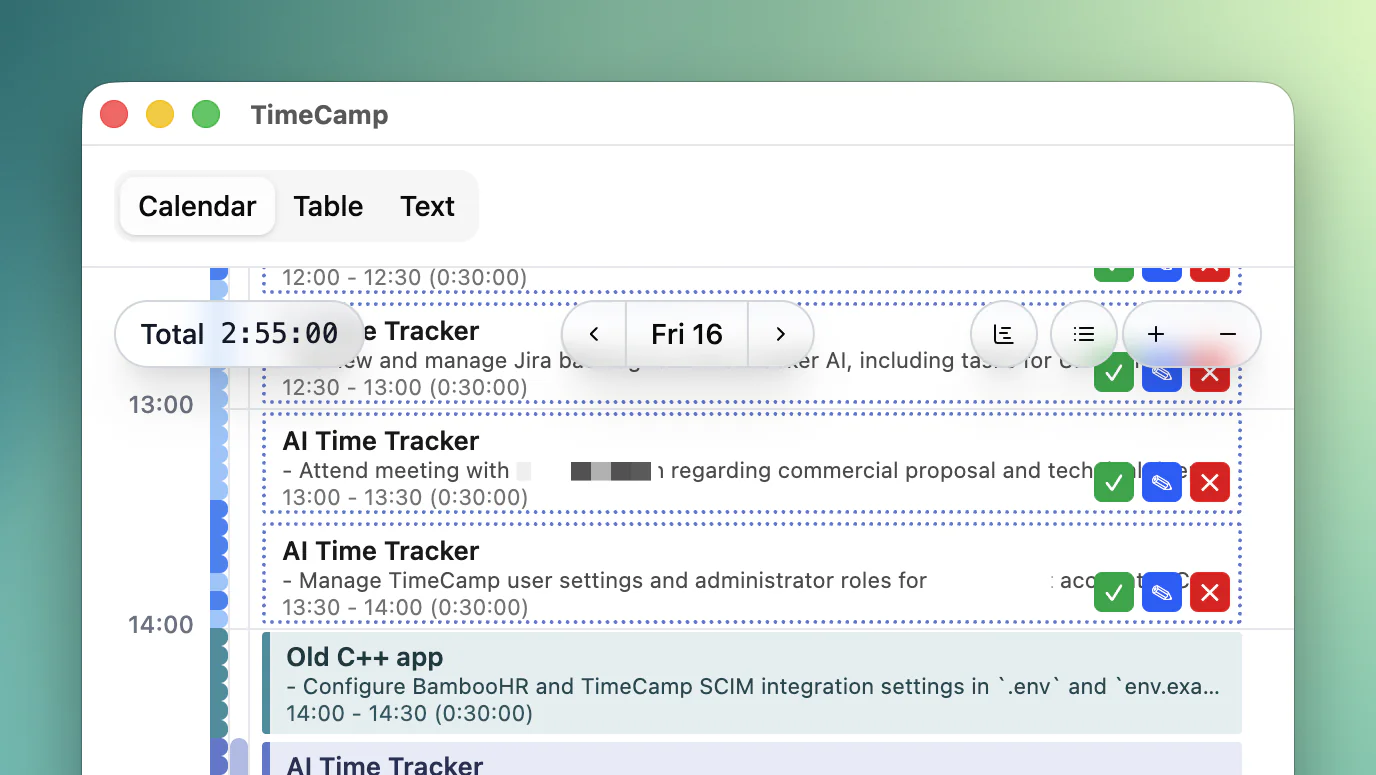
Calendar. See your time unfold across days, weeks, and months. Spot your most productive hours at a glance.
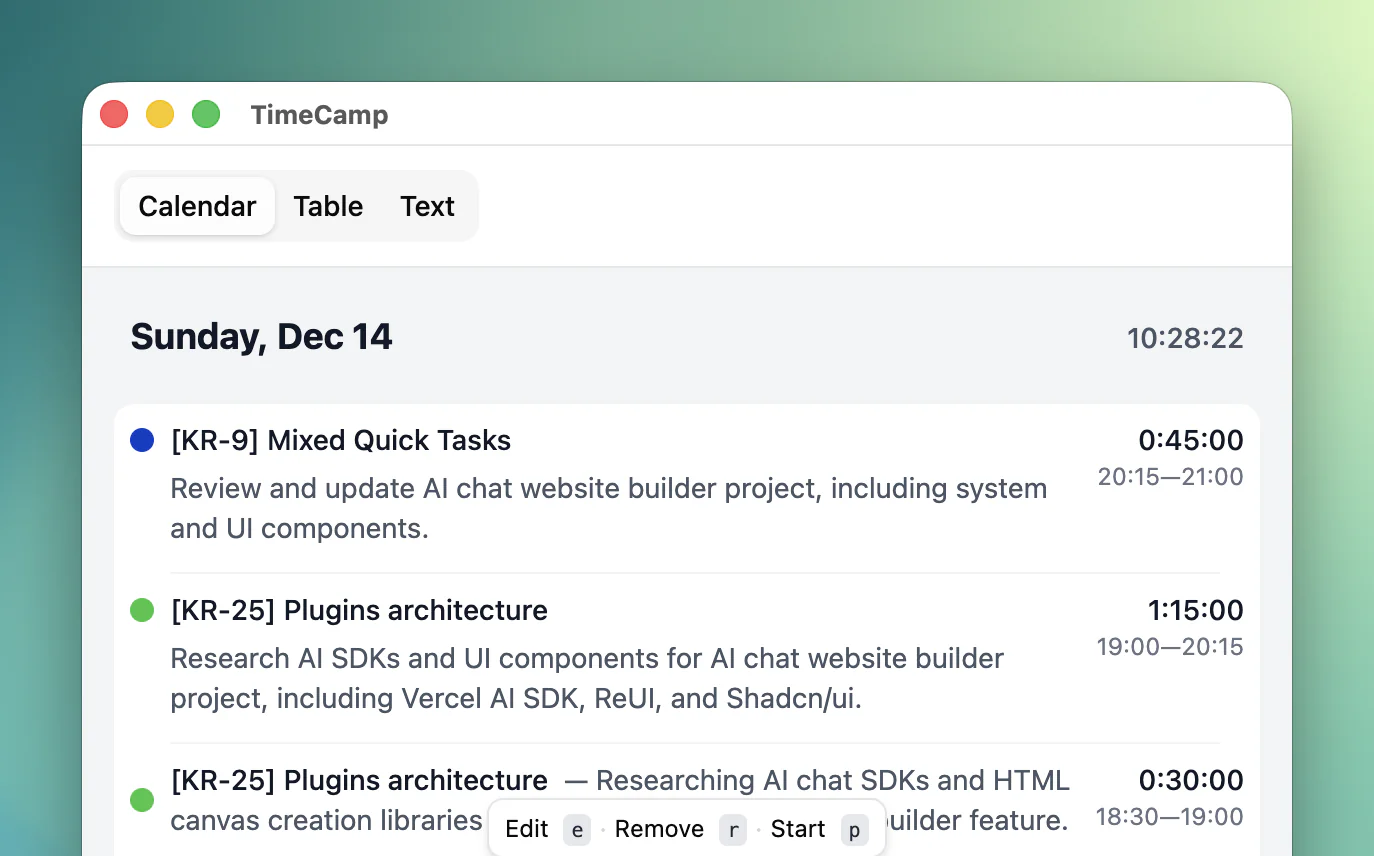
List. Your day in a clean, chronological flow. Scan it, edit any entry instantly, move on.
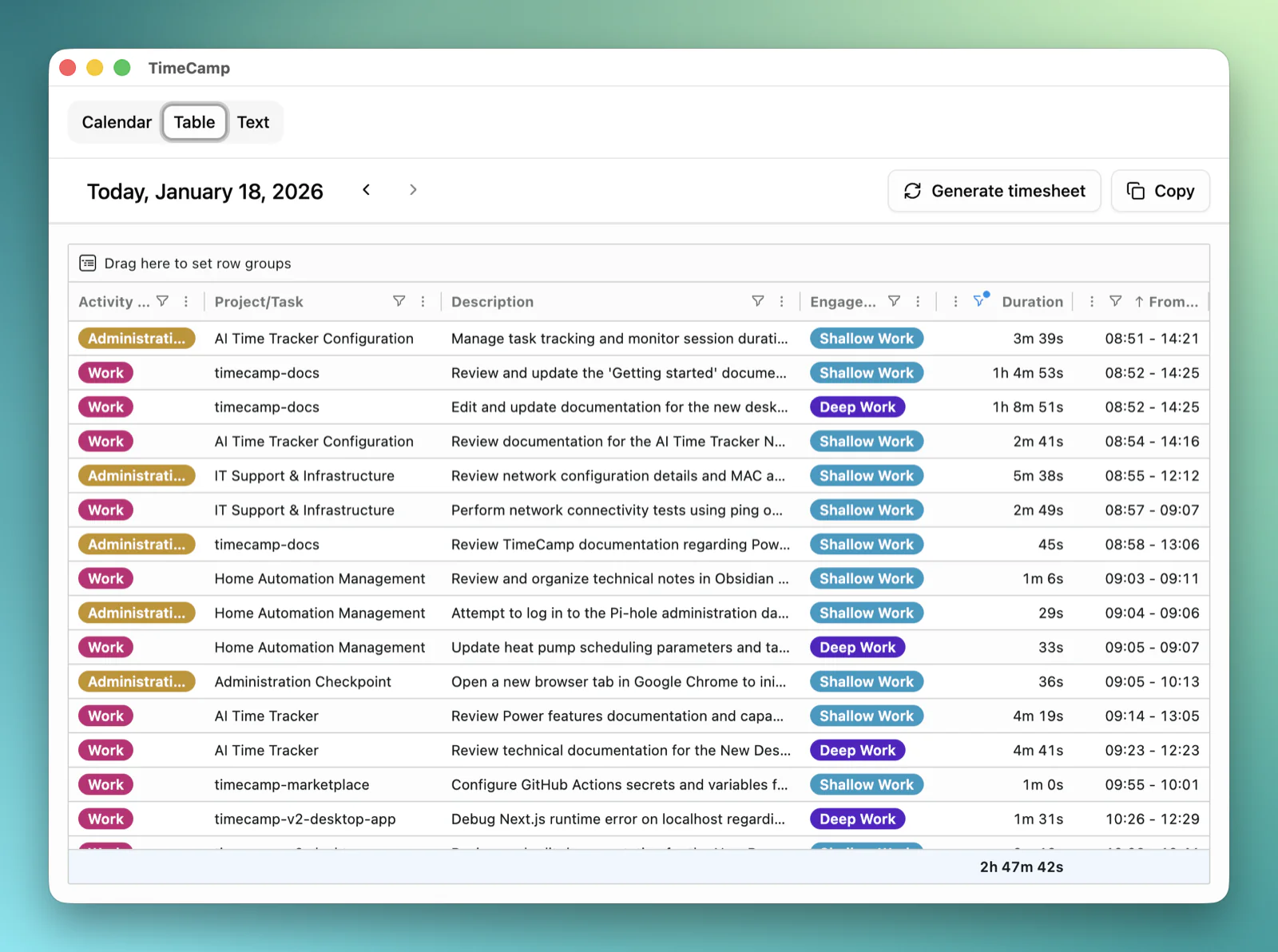
Table. Sort, filter, analyze. Raw hours become insight in a few clicks.
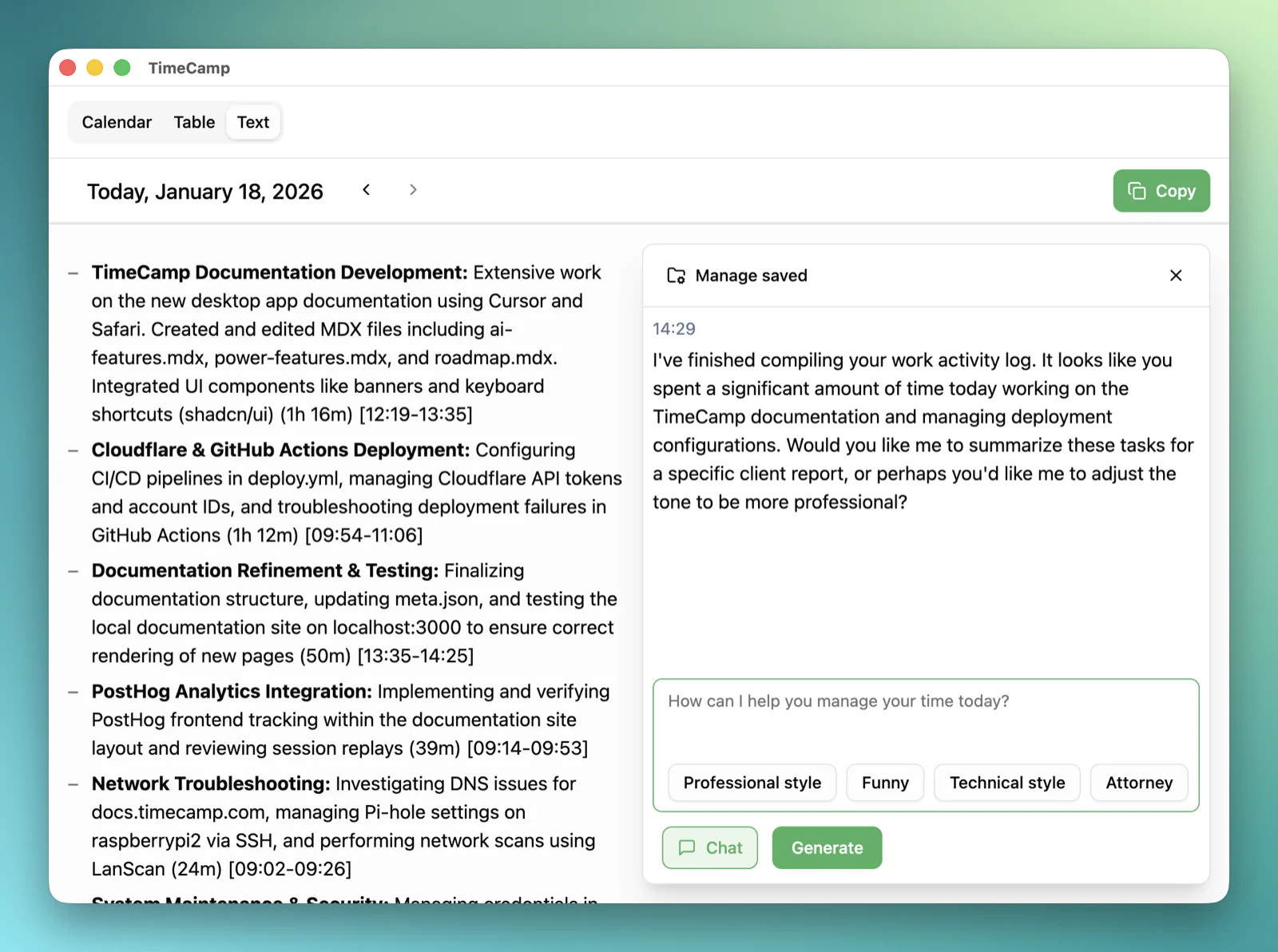
Text. Sometimes the simplest view is the most powerful. Edit your timesheet like a plain note — no interface in your way.
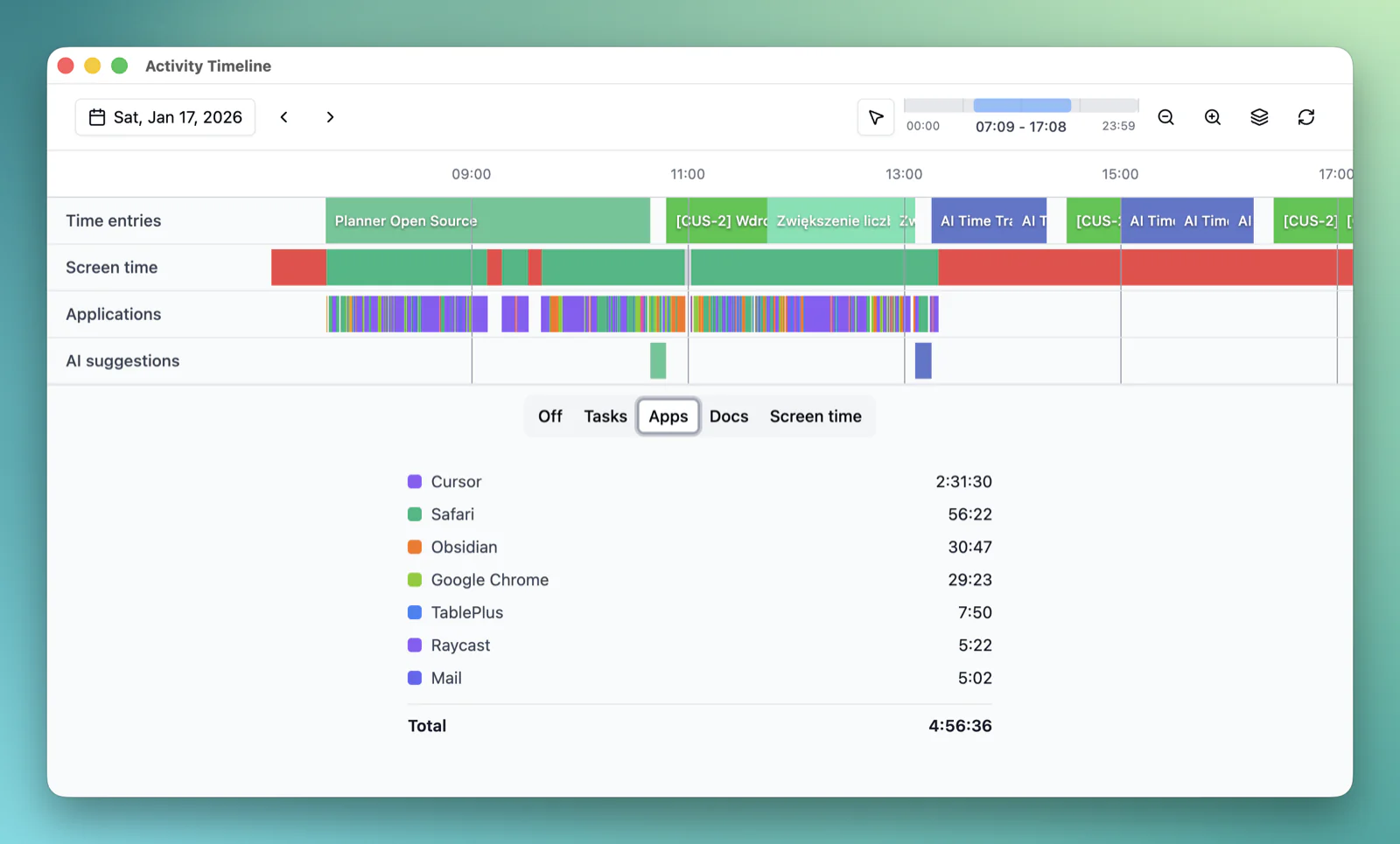
Timeline. Watch the rhythm of your day — focus blocks, meetings, gaps and all.
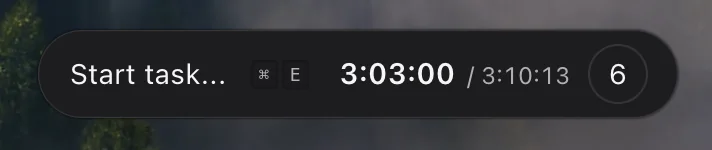
Widget. A compact tracker that sits quietly in your workspace. There when you need it, invisible when you don't.
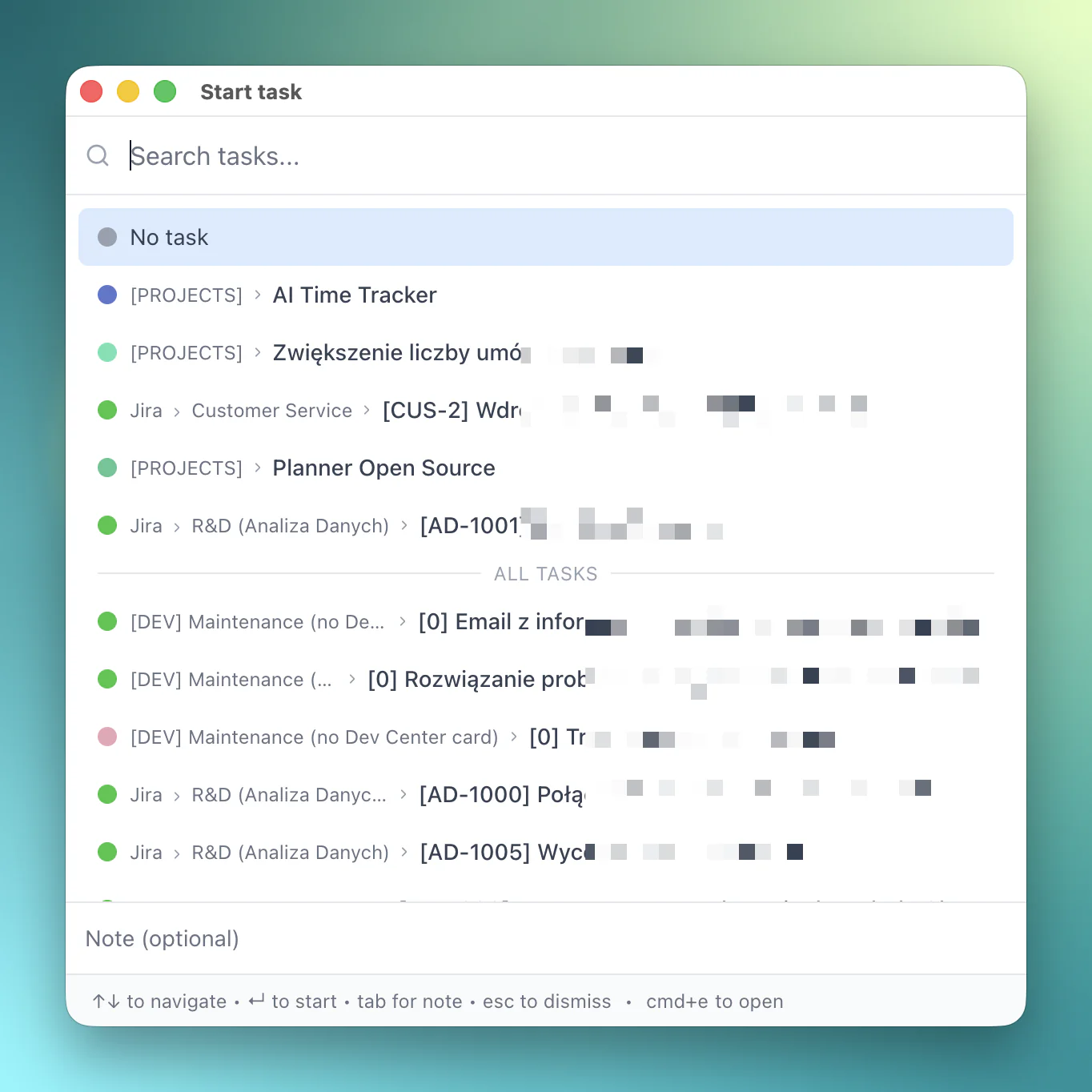
Quick Start. Press ⌘E anywhere and start timing a task without breaking your flow.
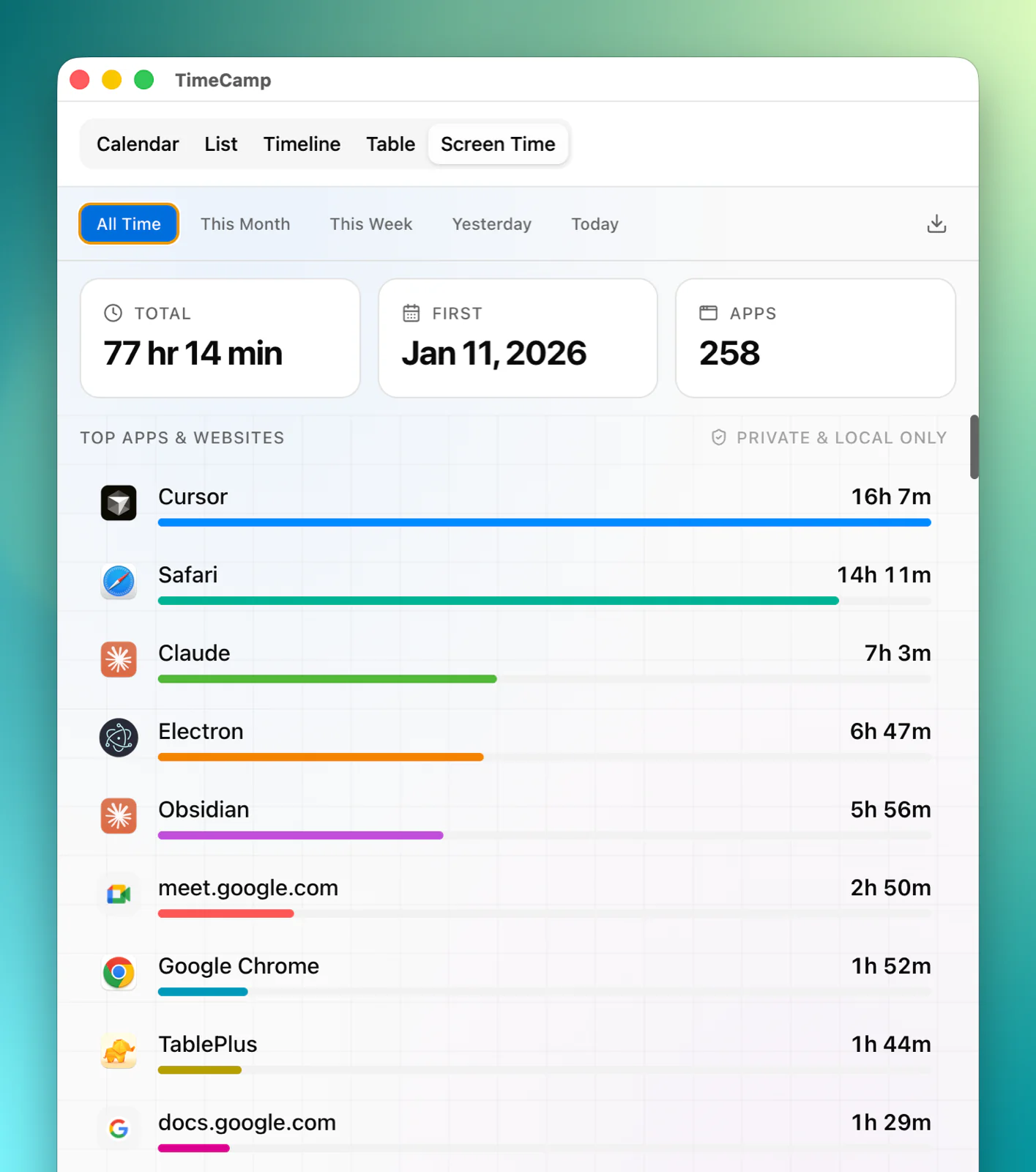
Screen Time. Know exactly where your attention goes, app by app, site by site.

82.8%
of people who tracked time before say it got easier with TimeCamp.
Privacy
Your privacy. Our priority.
Built privacy-first, so the AI works for you — and answers only to you.

You're in control
Pause tracking anytime, exclude any app, delete your data whenever you like. Nothing happens without your permission.

Processed on your device
Activity is analyzed locally to suggest task matches, then discarded. No keystrokes, no browsing history.

Only you see it
Suggestions are visible to you alone. Not your manager. Not your admin. Not us.
Ready to forget
your timesheet?
Download the AI desktop app and let your computer do the remembering.
No credit card. No setup. Sign up free and install in minutes.